
Handling PDFs in Python usually starts with a search for one Python PDF library that can do it all. In practice, that search keeps surfacing the same three names: pypdf, PyMuPDF, and ReportLab, built for entirely different jobs despite showing up in the same results.
pypdf and PyMuPDF both work on PDFs you already have: opening one, merging it with another, splitting it, rotating it, encrypting it. ReportLab only builds new PDFs from a blank page. It has no way to open an existing file, not to read one, not to edit one. Licensing splits along a different line entirely: pypdf and ReportLab are both BSD, free to use anywhere without a conversation. PyMuPDF is AGPL-3.0 or a paid commercial license, and that distinction matters the moment you're shipping to production.
None of these libraries are drop-in replacements for one another, and each has its own hard ceiling: pypdf never touches an embedded image at all, PyMuPDF only gets there through a separate, manual call, ReportLab's own encryption never leaves the weak kind, and none of the three does linearization at all. None of that is a scale problem, it's true on one file just as much as a thousand.
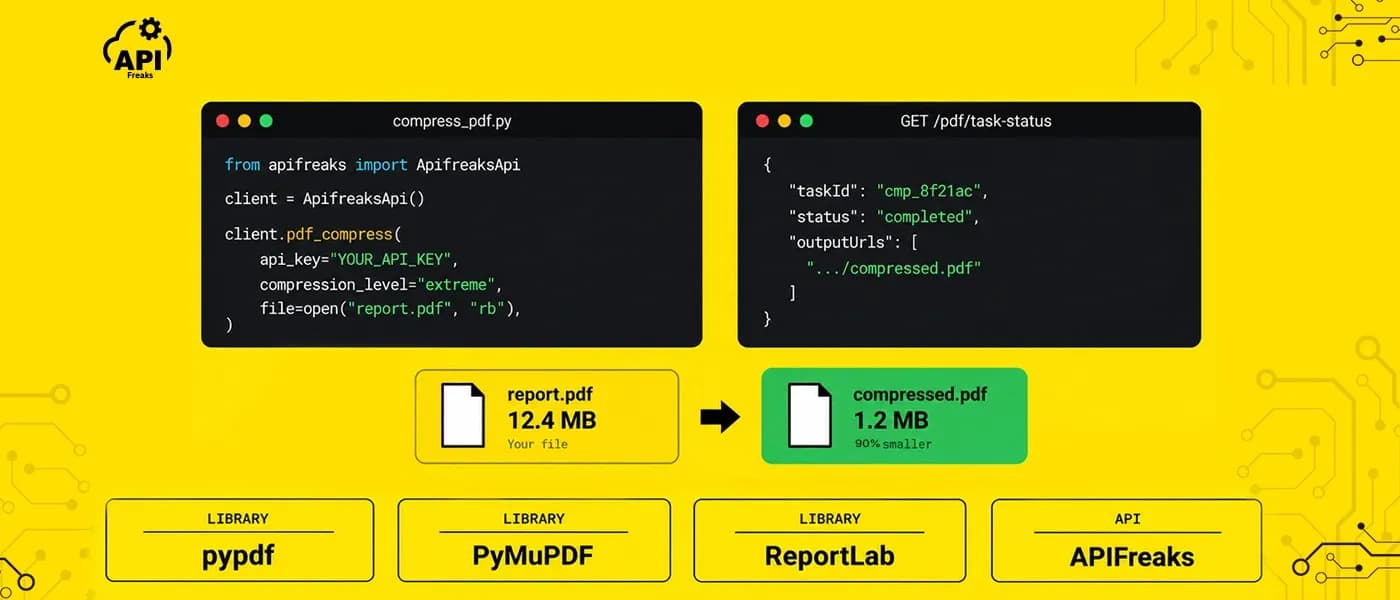
Running any of them reliably at real production volume is a separate problem on top of that: concurrent uploads, memory limits, staying up under load. This post walks through what each library actually does with copy-pasteable code for daily tasks like merging, splitting, extracting, rotating, compressing, and encrypting, covers exactly where their architectures hit a ceiling, and looks at how the APIFreaks PDF APIs handle the production side once you're past it.
Key Takeaways
- pypdf and PyMuPDF both merge, split, and rotate existing PDFs well. No real gap to sell against there, either library handles it cleanly.
- Neither ships a "just shrink this PDF" call. pypdf's compression is lossless and never touches embedded images. PyMuPDF's default save flags are lossless cleanup too; real image shrinkage needs a separate, lossy call.
- pypdf's own docs admit font subsetting isn't supported at all, a real ceiling, not an oversight you can flag your way around.
- ReportLab's own user guide only documents RC4 and MD5 encryption, at 40 or 128-bit strength. pypdf supports AES natively but silently falls back to weak RC4-40 if you forget to name the algorithm.
- PyMuPDF removed PDF linearization outright in version 1.26.0.
Document.save(linear=True)now raises an exception instead of producing a linearized file, and none of the three has a working replacement. - PyMuPDF's license is AGPL-3.0 or a paid commercial license with no public price list. pypdf and ReportLab are both BSD, the permissive kind.
- Font subsetting and linearization are genuine absences, no library here does either, that's not an infrastructure problem. Memory limits and staying up under real volume are a different kind of gap: separate from which library you pick, and the operational layer a hosted API already runs for you.
pypdf: reading, merging, and rewriting PDFs you already have
pypdf is a pure Python library for reading, editing, and rewriting existing PDFs, no compiled engine underneath, everything runs in the interpreter. That's also its main practical trade-off against PyMuPDF, covered next. License is BSD-3-Clause, the permissive kind, no conversation needed before shipping it in a commercial product.
A lot of tutorials online still reference PyPDF2. It was deprecated in December 2022 in favor of the original pypdf project name, which absorbed all further development. pip install PyPDF2 still resolves, but it gets no fixes, install pypdf directly.
What pypdf can do
- Extracts text from a page, with a layout-preserving mode for content that shouldn't read as one run-on block.
- Merges multiple PDFs into one, in a given order.
- Splits a PDF into individual pages.
- Rotates pages.
- Compresses losslessly: deduplicates repeated objects and recompresses content streams, though never images or fonts.
- Encrypts with RC4 or AES, up to AES-256, plus a permissions bitmask for controlling printing, copying, and editing.
pip install pypdf
pip install pypdf[crypto]   # needed for AES encryption
Extracting, merging, splitting, and rotating
from pypdf import PdfReader, PdfWriter

# Extract text. extraction_mode="layout" keeps it from reading as one run-on block.
reader = PdfReader("example.pdf")
print(reader.pages[0].extract_text())
print(reader.pages[0].extract_text(extraction_mode="layout"))

# Merge multiple PDFs into one, in order. PdfMerger is gone in current
# pypdf, PdfWriter.append() is the replacement.
writer = PdfWriter()
for pdf in ["a.pdf", "b.pdf", "c.pdf"]:
    writer.append(pdf)
writer.write("merged.pdf")

# Split into individual pages. There's no one-call method, this loop
# writing one output file per page is the documented pattern.
reader = PdfReader("sample.pdf")
for i, page in enumerate(reader.pages):
    page_writer = PdfWriter()
    page_writer.add_page(page)
    with open(f"page_{i + 1}.pdf", "wb") as f:
        page_writer.write(f)

# Rotate a page. page.rotate() is the right call over the older
# transformation-matrix approach, it keeps the page correctly
# inside its mediabox.
reader = PdfReader("example.pdf")
writer = PdfWriter()
writer.add_page(reader.pages[0])
writer.pages[0].rotate(90)
writer.write("rotated.pdf")
Compressing a PDF
If you're trying to compress a PDF in Python with pypdf, there's no single "shrink this PDF" call. What it has is a small set of narrow, composable tools, and none of them touch image recompression or font subsetting.
| Technique | Call | What it does | Result | Caveat |
|---|---|---|---|---|
| Content stream compression | page.compress_content_streams(level=9) |
Lossless FlateDecode/zlib on the drawing instructions, not images or fonts | 70% reduction, 11.8MB to 3.5MB | CPU intensive on large files |
| Deduplicate objects | writer.compress_identical_objects(remove_duplicates=True, remove_unreferenced=True) |
Merges byte-identical objects, drops unreferenced ones | 86% reduction, 5.7MB to 0.8MB | Highly dependent on the file's structure |
| Lossy image quality | img.replace(img.image, quality=80) |
Re-saves an image at lower JPEG quality via Pillow | Inconsistent results | Even pypdf's own docs call this out |
| Remove images | writer.remove_images() |
Strips every image | N/A | Destructive |
pypdf's own docs are direct about the ceiling here: "Font optimization features like subsetting and merging are not currently supported by pypdf." Combined with compress_content_streams() being lossless-only, pypdf can't recompress or downsample images, and can't subset fonts at all. If a PDF is bloated because of large images or unsubsetted fonts, which covers most real-world bloat, these tools won't move the needle much.
from pypdf import PdfWriter

writer = PdfWriter(clone_from="example.pdf")
for page in writer.pages:
    page.compress_content_streams(level=9)
writer.compress_identical_objects(remove_duplicates=True, remove_unreferenced=True)
writer.write("compressed.pdf")
Encrypting a PDF
This is the first place encryption comes up in this piece, so let's cover the actual difference between RC4 and AES once here, since PyMuPDF and ReportLab both come back to it later.
RC4 is a stream cipher from the 1980s. PDF still supports it for backward compatibility, but by current standards it's weak, especially at 40-bit key length, which is trivial to break with off-the-shelf tools. AES (Advanced Encryption Standard) is the algorithm behind most modern encryption you rely on daily, including HTTPS and full-disk encryption. AES-256 is the version worth using if the goal is actually keeping a document's contents private, not just adding a password prompt.
pypdf supports RC4-40, RC4-128, AES-128, AES-256-R5, and AES-256 through PdfWriter.encrypt(algorithm=...), the docs recommend AES-256-R5. AES needs the pypdf[crypto] extra installed above, and a missing crypto backend fails at encrypt-time rather than install-time.
There's a silent default that catches people out: pypdf's own docs state that "pypdf uses RC4 by default for compatibility if you omit the algorithm parameter." Calling .encrypt("password") with no algorithm= runs without error and produces a PDF that looks encrypted, but it's RC4-40, the weak kind. If you're encrypting PDFs and didn't specify algorithm="AES-256", check your code.
from pypdf import PdfReader, PdfWriter

reader = PdfReader("example.pdf")
writer = PdfWriter(clone_from=reader)
writer.encrypt("my-secret-password", algorithm="AES-256")
writer.write("encrypted.pdf")
Permissions come through a permissions_flag bitmask, exposed as a UserAccessPermissions enum so you don't have to hand-compute the bits from the PDF spec:
from pypdf.constants import UserAccessPermissions

writer.encrypt(
    user_password="open-password",
    owner_password="owner-password",
    permissions_flag=UserAccessPermissions.PRINT | UserAccessPermissions.EXTRACT,
    algorithm="AES-256",
)
What pypdf can't do
- A recurring pattern of denial-of-service CVEs. A crafted PDF triggers an infinite loop or unbounded memory use during parsing, not a crypto break or code execution, but a real risk if you're parsing files from users you don't control. Two recent examples: CVE-2026-41314, memory exhaustion via unvalidated image dimensions, fixed in 6.10.2, and CVE-2026-33699, an infinite loop in non-strict-mode error recovery, fixed in 6.9.2. Pin to the latest release and run parsing under a timeout regardless of patch level.
- No rendering or rasterization at all. pypdf can't turn a page into a PNG or JPEG, it's an object-model library, not a rendering engine.
- No documented linearization support.
- Old code breaks on rename.
getPage(),.getNumPages(), andPdfFileMergerare all gone, replaced bypages[i],len(reader.pages), andPdfWriter.append(). Old camelCase code throwsAttributeErroron any current install.
PyMuPDF: the faster engine, with a very different license
PyMuPDF is a set of Python bindings for MuPDF, a C library from Artifex Software. Where pypdf is pure Python, PyMuPDF wraps a real rendering engine, and that shows up directly in both its speed and its feature set: it can rasterize a page, something pypdf can't do at all.
The license is the fact to get right before anything else. PyMuPDF is dual-licensed: AGPL-3.0, or a paid commercial license from Artifex with no public price list. The AGPL path is free, but its network-use clause means exposing PyMuPDF through a SaaS product or an API triggers the same obligation as distributing the source code outright. Artifex's own FAQ puts it bluntly: "To comply with the open source AGPL you must remain open source and freeware," and "If your software uses PyMuPDF and you market it commercially, you do no longer fall under the AGPL." Artifex has also enforced this directly: it told an MIT-licensed project (LangChain) that anything using PyMuPDF "must be either licensed as GNU AGPL v3.0 or commercial." The commercial path means a sales conversation and no public price list. Resolve this before writing any code if you're building a commercial product.
Where PyMuPDF is strong
- Extracts text, with structured word, block, and HTML-level detail available, plus embedded images.
- Merges, splits, deletes, and rotates pages.
- Renders any page to an image at a given DPI, pypdf has no equivalent for this at all.
- Encrypts with the full RC4/AES range plus granular permission flags (accessibility, print, copy, annotate, form, assembly).
- Two distinct compression paths: lossless container cleanup, and a separate, lossy image-recompression call.
pip install pymupdf
The legacy fitz import alias still works, but current versions emit a deprecation warning, import pymupdf is the name to use going forward.
Extracting, merging, and rendering
Here's the same core toolkit in PyMuPDF, laid out to compare directly against pypdf's version above:
import pymupdf  # 'import fitz' still works but now warns

doc = pymupdf.open("input.pdf")

# Extract text
text = chr(12).join(page.get_text() for page in doc)

# Extract embedded images from the first page
for img in doc[0].get_images():
    xref = img[0]
    base = doc.extract_image(xref)  # {"image": bytes, "ext": "png" or "jpeg", ...}
    open(f"image_{xref}.{base['ext']}", "wb").write(base["image"])

# Merge: insert pages from another PDF (0-based, inclusive range)
src = pymupdf.open("other.pdf")
doc.insert_pdf(src, from_page=0, to_page=2, rotate=0)
doc.save("merged.pdf")

# Split / delete pages
doc.select([0, 1, 5, 6])  # keep only these pages, drop the rest
doc.delete_page(3)
doc.delete_pages(4, 5, 6)
doc.save("subset.pdf")

# Rotate. Other APIs (text/annotation placement) still expect a page's
# original, unrotated coordinates, use page.rotation_matrix to convert
# if you're placing anything on a rotated page afterward.
doc[0].set_rotation(90)
doc.save("rotated.pdf")

# Render every page to an image, the one thing pypdf can't do at all
for page in doc:
    pix = page.get_pixmap(dpi=300)  # or matrix=pymupdf.Matrix(zoom_x, zoom_y)
    pix.save(f"page-{page.number}.png")
Compressing a PDF: cleanup vs. shrinking images
The obvious-looking save flags don't do what they look like they do.
doc.save("cleaned.pdf", garbage=4, deflate=True, clean=True)
garbage (0 to 4) does object-level garbage collection, up to merging duplicate stream content like the same image embedded twice. deflate=True applies zlib/DEFLATE to streams that aren't already compressed, mostly fonts and content streams, not an image already stored as JPEG. clean=True normalizes content-stream syntax. None of these three flags re-encode, recompress, or downsample an embedded image. They're lossless container cleanup, nothing more. Most real-world PDF bloat comes from large images that are already compressed, and that's exactly what none of these flags touch.
Actually shrinking images needs a separate, more invasive call:
doc.rewrite_images(dpi_threshold=100, dpi_target=72, quality=60,
                    lossy=True, lossless=True, bitonal=True, color=True, gray=True)
doc.ez_save("compressed_images.pdf")
This gets roughly 70 to 90 percent reduction on the image payload, but it re-encodes and downsamples actual pixel data by design, a quality-affecting operation fundamentally different from the lossless flags above. doc.scrub() strips metadata and embedded files, doc.subset_fonts() trims embedded fonts to the glyphs actually used, and doc.ez_save() on its own bundles garbage collection plus deflate for roughly 25 percent or more, still without touching images.
In short, save()'s flags are lossless container cleanup, not a general-purpose compressor. A real size reduction on an image-heavy PDF means opting into a second, lossy call and tuning DPI and quality manually.
Encrypting a PDF
PyMuPDF covers the full standard range: RC4-40, RC4-128, AES-128, and AES-256, through pymupdf.PDF_ENCRYPT_* constants passed into save(). Permission flags come the same way, bitwise-OR'd pymupdf.PDF_PERM_* values covering accessibility, printing, modification, copying, annotation, form filling, and document assembly.
perm = (pymupdf.PDF_PERM_ACCESSIBILITY | pymupdf.PDF_PERM_PRINT
        | pymupdf.PDF_PERM_COPY | pymupdf.PDF_PERM_ANNOTATE)
doc.save("encrypted.pdf", owner_pw="full-access-secret", user_pw="restricted-secret",
          encryption=pymupdf.PDF_ENCRYPT_AES_256, permissions=perm)
This is one place PyMuPDF is simply better equipped than pypdf: full algorithm range, granular permissions, and no silent weak-crypto default.
Linearization: removed, not just unsupported
This is the most citable fact in this whole comparison. PyMuPDF removed linearization support outright in version 1.26.0, released May 22, 2025, and it's still removed as of the current release. The official changelog says it plainly: "Removed PDF linearization support. Calls to Document.save() with linear set to true will now raise an exception." The save() signature still lists linear=False for backward compatibility, so old code that never sets it keeps working, but code that passes linear=True now throws instead of producing a linearized file.
The rationale: linearization only ever sped up loading the first page, not the rest of the document; modern connection speeds make the original "fast web view over dial-up" case largely irrelevant; modern web servers already do smarter partial fetching with byte-range requests; and the spec itself was open to cross-vendor misinterpretation and, in Artifex's own words, "never really worked terribly well." PyMuPDF's own issue history backs that up: linearized output failing QPDF validation, files failing to open correctly in Ubuntu's Document Viewer and PDF.js, a documented case where use_objstms=1 combined with linear=True produced broken output, and users reporting no measurable load-speed improvement even when it worked.
There's no in-library replacement, a hard requirement goes to a sales conversation. If a tutorial, even a recent-looking one, shows linear=True "working," it's wrong for any current install.

Where PyMuPDF falls short
- Memory on large files isn't automatically bounded. Opening large, image-heavy PDFs (over roughly 100MB) can push memory past 1GB, since MuPDF's internal store cache has only a soft limit (256MB), not a hard cap on total process memory.
get_pixmap()at high DPI can use several gigabytes per page, theclipparameter, rendering a sub-region instead of the full page, helps. A production service on arbitrary user uploads needs explicit memory management, not out-of-the-box safety. - CVE-2026-3029: a path traversal / arbitrary file write issue in the CLI's embedded-file extraction, where a crafted filename inside an embedded file could write outside the intended output directory. Affected 1.26.5, fixed in 1.26.7, which now refuses unsafe paths by default.
ReportLab: generates PDFs, doesn't touch existing ones
ReportLab does one job and does it thoroughly: generating PDFs and charts from a blank page. By its own description it's built for "rapid creation of rich PDF documents," and it's listed as Production/Stable on PyPI after two decades of real use. What it doesn't do is open or edit a PDF that already exists, there's no reader object anywhere in the package. That's a deliberate scope, not a shortfall, pypdf and PyMuPDF are the two libraries in this comparison built for that other half of the job.
It has two layers: a low-level imperative canvas (reportlab.pdfgen.canvas.Canvas) for direct drawing commands, and Platypus, a higher-level layout engine built from DocTemplate, PageTemplate, Frame, and Flowable objects. License is BSD, the same permissive terms as pypdf.
What ReportLab is built for
- Builds new PDFs from a low-level canvas, or the higher-level Platypus layout engine with tables, styles, and reusable page templates.
- Generates invoices, statements, certificates, and other data-driven documents at scale.
- Embeds custom fonts, and handles CJK scripts through built-in CID fonts without embedding.
- Adds watermarks and repeating headers or footers through page callbacks.
- Encrypts documents it creates, with RC4/MD5 at 40 or 128-bit strength (more on that below).
pip install reportlab
This pulls in Pillow automatically, since ReportLab's docs state plainly that PIL is required for drawImage, drawInlineImage, and Platypus Image flowables. A recent change to flag: remote image URLs (an <img src="https://..."> reference) are now blocked by default unless the host is explicitly whitelisted, which can silently break old code that relied on unrestricted fetching.
Building a document: canvas and Platypus
The low-level canvas API, a minimal "hello world":
from reportlab.pdfgen import canvas
from reportlab.lib.units import inch
from reportlab.lib.pagesizes import letter

c = canvas.Canvas("hello.pdf", pagesize=letter)
c.translate(inch, inch)
c.setFont("Helvetica", 14)
c.setFillColorRGB(1, 0, 1)
c.rect(0.2 * inch, 0.2 * inch, 1 * inch, 1.5 * inch, fill=1)
c.drawString(0.3 * inch, 0.5 * inch, "Hello World")
c.showPage()  # finalize the current page
c.save()      # write to disk
One gotcha for multi-page documents: all state (fonts, colors, transforms) resets on showPage(). Fonts and colors have to be re-set on every new page in raw canvas code, or the second page silently reverts to defaults.
For anything with real structure, Platypus is the practical choice. Here's something closer to what you'd actually build, an invoice with a styled table:
from reportlab.lib.pagesizes import letter
from reportlab.lib.styles import getSampleStyleSheet
from reportlab.lib.units import inch
from reportlab.platypus import SimpleDocTemplate, Paragraph, Spacer, Table, TableStyle
from reportlab.lib import colors

styles = getSampleStyleSheet()
doc = SimpleDocTemplate("invoice.pdf", pagesize=letter, leftMargin=inch, rightMargin=inch)

story = [Paragraph("Invoice #1042", styles["Title"]), Spacer(1, 0.3 * inch)]
data = [["Item", "Qty", "Unit Price", "Total"], ["Widget A", "3", "$10.00", "$30.00"]]
table = Table(data, colWidths=[2.5 * inch, 1 * inch, 1.25 * inch, 1.25 * inch])
table.setStyle(TableStyle([
    ('BACKGROUND', (0, 0), (-1, 0), colors.HexColor("#333333")),
    ('TEXTCOLOR', (0, 0), (-1, 0), colors.white),
    ('GRID', (0, 0), (-1, -1), 0.5, colors.grey),
]))
story.append(table)
doc.build(story)
Table coordinates are spreadsheet-style, (col, row), with negative indices counting from the end. ReportLab's own docs are upfront about the ceiling here: "There is however one main limitation compared to an HTML table. They define a simple rectangular grid. There is no simple row or column spanning; if you need to span cells, you must nest tables ... or use SPAN." In practice, SPAN means adding a ('SPAN', (start_col, start_row), (end_col, end_row)) entry to the TableStyle list, not a colspan attribute you set on the cell itself, so a table with a lot of merged cells means hand-tracking coordinates instead of just marking the cell.
A watermark on every generated page, through the onFirstPage/onLaterPages callback pattern:
def add_watermark(canvas, doc):
    canvas.saveState()
    canvas.setFont('Helvetica-Bold', 60)
    canvas.setFillColorRGB(0.85, 0.85, 0.85)
    canvas.setFillAlpha(0.4)
    canvas.translate(letter[0] / 2, letter[1] / 2)
    canvas.rotate(45)
    canvas.drawCentredString(0, 0, "DRAFT")
    canvas.restoreState()

doc.build(story, onFirstPage=add_watermark, onLaterPages=add_watermark)
Encrypting a PDF
ReportLab's native encryption applies only to documents it generates itself, since it has no way to open an existing PDF. Canvas(..., encrypt=...) and BaseDocTemplate(..., encrypt=...) accept a reportlab.lib.pdfencrypt.StandardEncryption instance, and the documented strength values are 40 or 128 bits, the RC4-plus-MD5 handler covered earlier in this piece. ReportLab's own docs warn outright about this: "The security provided by these encryption settings (and even more so for the flags) is very weak."
from reportlab.pdfgen import canvas
from reportlab.lib import pdfencrypt

enc = pdfencrypt.StandardEncryption("rptlab", canPrint=0)  # 40-bit by default
c = canvas.Canvas("hello.pdf", encrypt=enc)
c.drawString(100, 100, "Hello World")
c.showPage()
c.save()
If a document needs AES encryption, the practical path is applying it as a separate step on ReportLab's output, with pypdf's crypto extra or PyMuPDF.
The gaps in ReportLab
- Cannot merge, split, rotate, or compress an existing PDF, at all. The standard pattern: generate with ReportLab, then hand the output to pypdf or PyMuPDF for anything that touches an existing file, like merging an invoice with a terms-and-conditions PDF.
- No colspan or rowspan in tables, as covered above, nested tables or
SPANonly. - A real Platypus learning curve. The layered
DocTemplate → PageTemplate → Frame → Flowablemodel is powerful, but understanding a flowable's wrap, split, and draw lifecycle takes time before custom flowables make sense. - Font and Unicode gotchas. Only 14 standard Type-1 fonts are available without embedding a font file. Non-Latin scripts need explicit
TTFontregistration. Missing glyphs get silently substituted instead of raising an error, which can hide font-coverage bugs until production. - The cost of the canvas/Platypus model itself. Every element's position, font, and style lives in code. A layout change means editing Python, not dragging a box around in a design tool.
The APIFreaks PDF Generator API takes a different approach to that last point: the layout lives outside your codebase, built once in a Template Builder, while your Python code just sends it JSON or CSV data and gets a PDF back, one call for a single document, or a batch from a CSV, one row per document. A layout change means editing the template, not redeploying Python, and the API call itself never changes. This isn't an argument that ReportLab's code-level control is wrong, some teams want exactly that. It's a different tradeoff for teams who'd rather keep layout changes out of their codebase entirely.
pypdf vs. PyMuPDF vs. ReportLab, in one table

| Operation | pypdf | PyMuPDF | ReportLab |
|---|---|---|---|
| Merge existing PDFs | Yes, PdfWriter.append() |
Yes, insert_pdf() |
No, can't open a PDF |
| Split / extract pages | Yes | Yes, select() / delete_page() |
No |
| Rotate pages | Yes | Yes | No |
| Compress: lossless cleanup | Yes | Yes, garbage/deflate/clean |
No |
| Compress: real image recompression | No | No by default, yes via separate lossy rewrite_images() |
No |
| Encrypt: algorithm range | RC4-40/128, AES-128/256 (RC4-40 by default if unspecified) | RC4-40/128, AES-128/256 | RC4 + MD5 only, 40 or 128-bit |
| Permission flags on encrypt | Yes, bitmask | Yes, bitmask | Yes, boolean flags (print/modify/copy/annotate) |
| Linearize | No documented support | Removed in 1.26.0, now raises an exception | No |
| Render page to image | No | Yes, get_pixmap() |
No |
| Generate a new PDF from scratch | No | Basic only, no layout engine | Yes, its core purpose |
| License | BSD-3-Clause | AGPL-3.0 or paid commercial | BSD |
| Pure Python vs. compiled | Pure Python | C (MuPDF) bindings | Pure Python since v4.0 |
ReportLab is built for exactly one job, generating a PDF from scratch, and it does that well. It was never meant to open a file you already have, so most of this table simply isn't its territory. Between pypdf and PyMuPDF, the split comes down to license and whether the job needs real image compression or page rendering, both covered in detail above.
The real limits in compression, encryption, and linearization
Compression needs an extra, opt-in step for a real size reduction. PyMuPDF's rewrite_images() gets a genuine 70 to 90 percent cut on the image payload, but it's a manual call with DPI and quality thresholds you set yourself, not something either library reaches for by default. pypdf has no equivalent: compress_content_streams() and compress_identical_objects() get documented 70% and 86% reductions, but both are lossless and never touch an image.
Encryption is solid in two of three. pypdf and PyMuPDF both support the full RC4/AES range, including AES-256, no capability gap there. The catch is pypdf's default: skip the algorithm argument and it silently produces RC4-40, the weak kind, instead of erroring. PyMuPDF has no such default and layers on granular permission flags besides. ReportLab is the one that's genuinely limited, its documented encryption never leaves RC4 and MD5, and its own docs call the result "very weak."
Linearization is the one flat no. None of the three has a working path to it today: pypdf never documented support, ReportLab never had a reason to, and PyMuPDF removed it outright in version 1.26.0. pikepdf, a lower-level QPDF wrapper outside this comparison's scope, still exposes Pdf.save(..., linearize=True) and real AES-256 encryption, at the cost of a compiled dependency and MPL-2.0 licensing. None of these three change with a newer release or a different configuration, they're the same ceiling regardless of which library backs a pipeline. What closes them is covered next.
APIFreaks PDF Suite: the same operations, built to run at scale
The APIFreaks PDF Suite is an enterprise-grade PDF API: the same operations covered above, running on infrastructure APIFreaks operates, not a library your own service imports and runs in-process.
Running that reliably yourself means solving a problem libraries were never built to solve: a burst of uploads has to queue instead of blocking, and the service that accepts a request has to stay decoupled from whatever's actually doing the processing, so one being slow doesn't take down the other. None of that is the caller's problem here, provisioning it, scaling it, or paying for it: call the endpoint, get a task ID back immediately, and the result arrives by polling or webhook, all of it running on APIFreaks' infrastructure, not the caller's.

What it offers
- PDF Merge API, PDF Split API, PDF Extract Pages API (by range, keyword, or even/odd, documented on the same page as Split), PDF Remove Pages API, PDF Rotate Pages API, PDF Compress API, PDF Protect API, PDF Unlock API (for files you own or are authorized to open), PDF Linearize API, and PDF to Image API across five output formats.
- Every call returns the same response shape regardless of operation: a webhook can call back on success or failure instead of polling, delivery retries automatically up to three times if an endpoint doesn't answer, and every payload carries an HMAC-SHA256 signature computed from the request body with your API key so a callback can be verified as genuinely coming from APIFreaks.
- A 1GB payload ceiling on every endpoint, covering scanned archives and high-resolution files a browser tool or a memory-constrained process would reject outright.
- As a workflow scales, from occasional use to a continuous, high-volume pipeline, the call and the ceiling stay the same: nothing changes on the calling side.
- Every file processed gets its own ID, so a multi-step pipeline can reference an earlier output directly in the next call instead of downloading and re-uploading it.
The official SDK
The official Python SDK wraps every operation above as a typed client method instead of a raw API call, with one consistent response shape across all of them instead of a different contract per endpoint.
pip install apifreaks
What it costs
It's free to start, 10,000 credits, then a flat base cost per successful call. A failed call refunds the base cost. pypdf and ReportLab stay free under BSD regardless of use; PyMuPDF's own cost, covered above, depends on the AGPL network-use clause.
A processed file also leaves your infrastructure and sits on APIFreaks' servers for up to 30 days by default, though every operation gives you the option to have it deleted immediately once it's done. None of the three libraries ever send a file anywhere.
Where libraries run out
A library-only setup runs into two separate problems, each with a different fix.
Reliability at volume is one of them, not a missing feature. PyMuPDF's memory use at high DPI can reach multiple gigabytes per page, pypdf's content-stream compression is CPU-intensive enough to slow down under load, and a crafted or corrupted file can trip a parsing bug like CVE-2026-33699's infinite loop instead of failing cleanly. None of that gets fixed by picking a different library, it's fixed by the async, task-based handling covered above: the same call whether it's an occasional file or a continuous, high-volume pipeline.
The three ceilings covered in "The real limits in compression, encryption, and linearization" close here, as a hosted call instead of a library that was never going to clear them:
- PDF Compress API: a different technique per content type, images recompressed, vector graphics stay lossless, text stays sharp, at whatever level from low to extreme you choose, the recompression step neither pypdf nor PyMuPDF does by default.
- PDF Protect API: AES-256 with separate user and owner passwords, plus permission flags on printing, copying, and editing, no algorithm parameter to misconfigure, the exact failure mode covered earlier for pypdf's silent RC4 fallback and ReportLab's RC4-only ceiling.
- PDF Linearize API: the one operation none of the three libraries do at all, the same Fast Web View restructuring PyMuPDF removed outright in 1.26.0.
Which one to actually use
If the job is reading, merging, splitting, or rotating PDFs you already have, and you don't want a licensing conversation with anyone, pypdf is the default choice: pure Python, BSD-licensed, no compiled dependency to worry about across platforms.
If you need speed on large files, image extraction, or the ability to render a page as an image, PyMuPDF is the more capable engine, but read the license section above before putting it in a commercial product. AGPL's network-use clause isn't a formality you can route around by not distributing the package directly.
If the job is generating new documents from data, invoices, certificates, reports, anything with a fixed shape and variable content, ReportLab is the standard tool, BSD-licensed too. Just plan on handing its output to pypdf or PyMuPDF for anything beyond pure generation.
The APIFreaks PDF Suite earns its place once a pipeline has to run reliably at whatever scale a real product sees, not just produce a correct file once. It also closes the three ceilings no library clears regardless of volume: compression, encryption, and linearization. Either way, it sits alongside whichever library is already in the stack, not instead of it. The same enterprise platform also runs a separate PDF Generator API with a visual Template Builder, for teams who'd rather keep layout out of their codebase entirely instead of writing it in ReportLab.
Conclusion
pypdf and PyMuPDF remain the right tools for most PDF work in Python: reading, merging, and rearranging files you already have. ReportLab remains the standard for generating new ones. Compression, encryption, and linearization stay closed regardless of which library backs a pipeline, and running any of it reliably at real volume is a separate problem on top of that. The APIFreaks PDF Suite is built to close both, not to replace a library that already does its job well. Adding it to an existing workflow pipeline is one REST call or one typed SDK method, not a rewrite. Start with the free tier, 10,000 credits, and test the compress, protect, or linearize endpoints against your own files before deciding what belongs in the stack.
Frequently asked questions
What's the difference between pypdf and PyMuPDF?
pypdf is pure Python and BSD-licensed, no compiled dependency, but it can't render or rasterize a page at all. PyMuPDF wraps the C-based MuPDF engine, faster, and able to render a page to an image via get_pixmap(), but it's AGPL-3.0 or a paid commercial license, a real consideration the moment you're shipping to production. Both merge, split, rotate, and encrypt existing PDFs cleanly, the real choice between them usually comes down to licensing and whether you need rendering.
Is PyPDF2 the same as pypdf?
No. PyPDF2 was deprecated in December 2022 in favor of the original pypdf project name, which absorbed all further development. pip install PyPDF2 still resolves to a working package, but it gets no further fixes. Install pypdf directly.
Can I actually compress a PDF with pypdf alone?
You can shrink it losslessly: compress_content_streams() compresses drawing instructions, and compress_identical_objects() deduplicates repeated objects. Neither one recompresses embedded images or subsets fonts, pypdf's own docs say font subsetting isn't supported at all. If most of a file's size comes from images, pypdf's tools won't move it much. The APIFreaks PDF Compress API handles the image-recompression case pypdf doesn't.
Why did pypdf encrypt my PDF with weak RC4 instead of AES?
Because the algorithm wasn't specified. Calling .encrypt("password") with no algorithm= argument runs without error, but pypdf's own docs confirm it defaults to RC4-40, the weak kind, not AES. The fix is naming it explicitly: writer.encrypt("password", algorithm="AES-256"). PyMuPDF has no equivalent default, it requires an explicit encryption= constant either way.
Is PyMuPDF free to use in a commercial product?
It depends on how you use it. PyMuPDF is dual-licensed under AGPL-3.0 or a paid commercial license. Under AGPL, exposing it through a SaaS product or API triggers the same source-disclosure obligation as distributing the source code, per Artifex's own FAQ. If you don't want to open-source the consuming application, you need a commercial license, which means a direct sales conversation since there's no public price list.
Why does PyMuPDF's linear=True raise an error now?
Artifex removed linearization support outright in PyMuPDF 1.26.0 (May 2025): it only ever sped up loading the first page, modern connections and byte-range requests already solve that better, and the feature never worked reliably across all PDF viewers to begin with. Document.save(linear=True) on any current version now raises an exception instead of producing a linearized file. The APIFreaks PDF Linearize API is a direct replacement for that step.
Does ReportLab support AES encryption?
Not in the documented API. StandardEncryption only documents a strength of 40 or 128 bits, the legacy RC4-and-MD5 PDF security handler, and ReportLab's own docs warn that this level of security is "very weak." If a document needs AES, apply it as a separate step with pypdf or PyMuPDF instead.
How do I merge a PDF I generated with ReportLab into another PDF?
ReportLab can't open an existing PDF, so it can't do the merge itself. The standard pattern is to generate your document with ReportLab, save it to disk, then merge it using pypdf or PyMuPDF, whichever one you're already using elsewhere in the same project.
What's the fastest way to render a PDF page as an image in Python?
PyMuPDF's get_pixmap() is the direct route, since it wraps a real rendering engine and neither pypdf nor ReportLab can rasterize a page at all. For very large or high-DPI pages, pass the clip parameter to render a sub-region instead of the whole page, since full-page rendering at high DPI can use several gigabytes of memory.