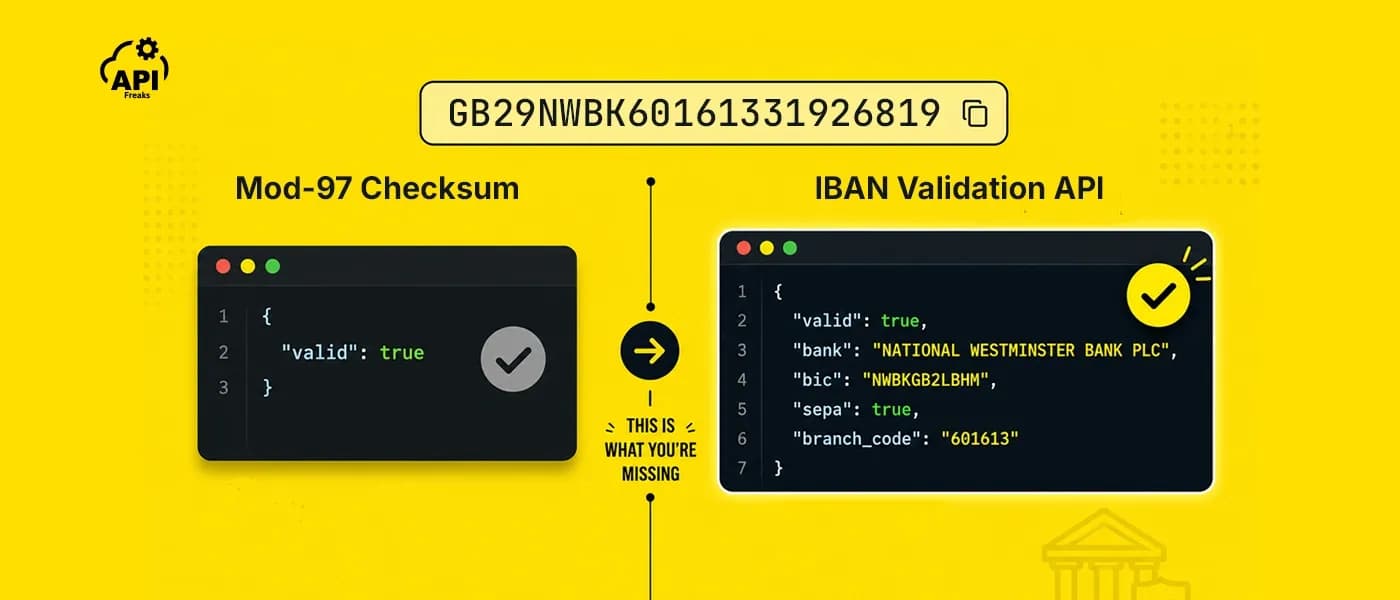

If you're building a payment form, payroll integration, or any onboarding flow that touches European bank accounts, you'll need IBAN validation. The core algorithm is straightforward to implement in either language with no dependencies. What it won't tell you is whether the account actually exists, whether the bank behind it is SEPA-reachable, or what its BIC code is, and in payment-critical flows, that distinction matters.
This guide covers both layers. You'll get working validation code in JavaScript and Python, a clear breakdown of what mod-97 can and can't catch, and a practical path to richer bank data when your flow needs it.
TL;DR
- An IBAN has three parts: a country code, two mod-97 check digits, and a country-specific BBAN; total length varies by country (Norway 15, Germany 22, France 27, Malta 31)
- The mod-97 algorithm (ISO 7064) runs in four steps: normalize, rearrange, convert letters to numbers, compute remainder divided by 97; remainder must equal 1 for a valid IBAN
- Both languages have a clean dependency-free implementation; ibantools (JS) and schwifty (Python) are solid library options if you'd rather not maintain the country length table
- Mod-97 catches typos, transpositions, and structural errors; it cannot confirm the account exists, the bank is active, or whether the bank supports SEPA
- What mod-97 misses: a valid-looking IBAN can point to a closed account, a dissolved bank, or a bank that doesn't support the SEPA scheme you're initiating
- Use local validation for form fields and pre-screening; use the APIFreaks IBAN Validation API when you need bank name, BIC, SEPA status, and branch-level detail in one call
- The API runs five validation checks plus a BBAN domestic checksum for eight countries (GB, DE, FR, IT, ES, NL, SE, BE) and returns full bank data for six (GB, PK, IE, GI, BH, AZ), plus partial bank details for Germany and Sweden
How the Mod-97 Checksum Works

Every IBAN is governed by ISO 13616 and contains three components: a two-letter country code, two check digits calculated via mod-97, and a country-specific BBAN (Basic Bank Account Number) that encodes the domestic account details. IBAN lengths vary because the BBAN structure is different in every country: Norway uses 15 characters total, Germany and the UK use 22, France uses 27, and Malta uses 31.
The mod-97 algorithm itself is defined in ISO 7064 and runs four steps:
- Strip whitespace and convert to uppercase
- Move the first four characters (country code + check digits) to the end of the string
- Replace each letter with its numeric equivalent: A=10, B=11, ..., Z=35
- Compute the remainder of that large number divided by 97; if the result is 1, the IBAN is structurally valid
The numeric string produced in step 3 can be 30+ digits long. In JavaScript, this creates a precision problem: the built-in Number type loses accuracy beyond roughly 15 significant digits, which means valid IBANs can fail and invalid ones can pass if you use a naive modulo. You need BigInt or a chunked remainder loop. Python's native int handles arbitrarily large numbers without any workaround, so this is a JavaScript-only concern.
Validate an IBAN in JavaScript
Pure implementation (no dependencies)
// Validate an IBAN using the mod-97 checksum + country length check
const IBAN_LENGTHS = {
  AD: 24, AE: 23, AL: 28, AT: 20, AZ: 28, BA: 20, BE: 16, BG: 22, BH: 22,
  BI: 27, BR: 29, BY: 28, CH: 21, CR: 22, CY: 28, CZ: 24, DE: 22, DJ: 27,
  DK: 18, DO: 28, EE: 20, EG: 29, ES: 24, FI: 18, FK: 18, FO: 18, FR: 27,
  GB: 22, GE: 22, GI: 23, GL: 18, GR: 27, GT: 28, HN: 28, HR: 21, HU: 28,
  IE: 22, IL: 23, IQ: 23, IS: 26, IT: 27, JO: 30, KW: 30, KZ: 20, LB: 28,
  LC: 32, LI: 21, LT: 20, LU: 20, LV: 21, LY: 25, MC: 27, MD: 24, ME: 22,
  MK: 19, MN: 20, MR: 27, MT: 31, MU: 30, NI: 28, NL: 18, NO: 15, OM: 23,
  PK: 24, PL: 28, PS: 29, PT: 25, QA: 29, RO: 24, RS: 22, RU: 33, SA: 24,
  SC: 31, SD: 18, SE: 24, SI: 19, SK: 24, SM: 27, SO: 23, ST: 25, SV: 28,
  TL: 23, TN: 24, TR: 26, UA: 29, VA: 22, VG: 24, XK: 20, YE: 30,
};

function validateIBAN(iban) {
  // Normalize: remove spaces, uppercase
  const normalized = iban.replace(/\s+/g, '').toUpperCase();

  // Must be alphanumeric only
  if (!/^[A-Z0-9]+$/.test(normalized)) {
    return { valid: false, error: 'Contains invalid characters' };
  }

  const countryCode = normalized.slice(0, 2);
  const expectedLength = IBAN_LENGTHS[countryCode];

  // Country must be in the IBAN registry
  if (!expectedLength) {
    return { valid: false, error: `Country code ${countryCode} does not use IBAN` };
  }

  // Length must match country specification
  if (normalized.length !== expectedLength) {
    return {
      valid: false,
      error: `Expected ${expectedLength} characters for ${countryCode}, got ${normalized.length}`,
    };
  }

  // Rearrange: move first 4 chars to end
  const rearranged = normalized.slice(4) + normalized.slice(0, 4);

  // Replace letters with numbers (A=10 ... Z=35)
  const numeric = rearranged
    .split('')
    .map(ch => (ch >= 'A' && ch <= 'Z' ? ch.charCodeAt(0) - 55 : ch))
    .join('');

  // Use BigInt to avoid floating-point precision loss on 30+ digit strings
  const remainder = BigInt(numeric) % 97n;

  if (remainder !== 1n) {
    return { valid: false, error: 'Checksum failed (mod-97)' };
  }

  return { valid: true, countryCode, length: normalized.length };
}

// Usage
console.log(validateIBAN('DE89 3704 0044 0532 0130 00'));
// { valid: true, countryCode: 'DE', length: 22 }

console.log(validateIBAN('GB29 NWBK 6016 1331 9268 19'));
// { valid: true, countryCode: 'GB', length: 22 }

console.log(validateIBAN('DE89 3704 0044 0532 0130'));
// { valid: false, error: 'Expected 22 characters for DE, got 20' }
Three notes on this implementation:
BigInt(numeric) % 97nhandles the full 30+ digit numeric string cleanly. If your target environment doesn't supportBigInt(legacy Node or an older bundler target), use the chunked approach below.- The
IBAN_LENGTHSmap follows the ISO 13616 registry. Countries do occasionally adopt or revise formats, so audit this against the current SWIFT registry if you're maintaining it long-term. - Returning a structured object rather than a bare boolean lets callers surface a specific error message, which is useful for payment forms where "invalid IBAN" is not a sufficient user-facing message.
Chunked modulo fallback (no BigInt required)
If BigInt isn't available in your target environment, process the numeric string in 9-digit chunks, carrying the remainder forward on each iteration:
function mod97Chunked(numericStr) {
  let remainder = 0;
  for (let i = 0; i < numericStr.length; i += 9) {
    const chunk = String(remainder) + numericStr.slice(i, i + 9);
    remainder = parseInt(chunk, 10) % 97;
  }
  return remainder;
}

// Drop-in replacement for the BigInt line in validateIBAN:
// const remainder = mod97Chunked(numeric);
// if (remainder !== 1) { ... }
This works in any JavaScript environment without needing BigInt support. String(remainder) prepends the carry explicitly before each chunk so parseInt always receives a clean numeric string within safe integer range.
If you prefer a library
For projects where you'd rather not maintain the country length table yourself, ibantools is a well-maintained npm package that handles both mod-97 and country-length validation, with helper functions for formatting and BBAN extraction.
import { isValidIBAN, validateIBAN } from 'ibantools';

console.log(isValidIBAN('DE89370400440532013000')); // true
console.log(validateIBAN('DE89370400440532013000'));
// { valid: true, errorCodes: [] }
It's client-safe and tree-shakeable. Keep in mind it's still an offline check with the same ceiling as any local implementation.
Validate an IBAN in Python
Python's native int type handles arbitrarily large integers, so there's no equivalent of JavaScript's BigInt problem. The logic is identical; the implementation is simpler.
Pure implementation (no dependencies)
import re

IBAN_LENGTHS = {
    'AD': 24, 'AE': 23, 'AL': 28, 'AT': 20, 'AZ': 28, 'BA': 20, 'BE': 16,
    'BG': 22, 'BH': 22, 'BI': 27, 'BR': 29, 'BY': 28, 'CH': 21, 'CR': 22,
    'CY': 28, 'CZ': 24, 'DE': 22, 'DJ': 27, 'DK': 18, 'DO': 28, 'EE': 20,
    'EG': 29, 'ES': 24, 'FI': 18, 'FK': 18, 'FO': 18, 'FR': 27, 'GB': 22,
    'GE': 22, 'GI': 23, 'GL': 18, 'GR': 27, 'GT': 28, 'HN': 28, 'HR': 21,
    'HU': 28, 'IE': 22, 'IL': 23, 'IQ': 23, 'IS': 26, 'IT': 27, 'JO': 30,
    'KW': 30, 'KZ': 20, 'LB': 28, 'LC': 32, 'LI': 21, 'LT': 20, 'LU': 20,
    'LV': 21, 'LY': 25, 'MC': 27, 'MD': 24, 'ME': 22, 'MK': 19, 'MN': 20,
    'MR': 27, 'MT': 31, 'MU': 30, 'NI': 28, 'NL': 18, 'NO': 15, 'OM': 23,
    'PK': 24, 'PL': 28, 'PS': 29, 'PT': 25, 'QA': 29, 'RO': 24, 'RS': 22,
    'RU': 33, 'SA': 24, 'SC': 31, 'SD': 18, 'SE': 24, 'SI': 19, 'SK': 24,
    'SM': 27, 'SO': 23, 'ST': 25, 'SV': 28, 'TL': 23, 'TN': 24, 'TR': 26,
    'UA': 29, 'VA': 22, 'VG': 24, 'XK': 20, 'YE': 30,
}


def validate_iban(iban: str) -> dict:
    """Validate an IBAN using mod-97 checksum and country length rules."""
    # Normalize: strip spaces, uppercase
    normalized = iban.replace(' ', '').upper()

    # Alphanumeric check (ASCII only, matching the JS regex)
    if not re.fullmatch(r'[A-Z0-9]+', normalized):
        return {'valid': False, 'error': 'Contains invalid characters'}

    country_code = normalized[:2]
    expected_length = IBAN_LENGTHS.get(country_code)

    # Country must be in the IBAN registry
    if expected_length is None:
        return {'valid': False, 'error': f'Country code {country_code} does not use IBAN'}

    # Length must match country specification
    if len(normalized) != expected_length:
        return {
            'valid': False,
            'error': f'Expected {expected_length} characters for {country_code}, got {len(normalized)}',
        }

    # Rearrange: move first 4 characters to end
    rearranged = normalized[4:] + normalized[:4]

    # Convert letters to numbers: A=10, B=11 ... Z=35
    # Python's int handles the resulting 30+ digit number natively
    numeric = ''.join(
        str(ord(ch) - 55) if ch.isalpha() else ch
        for ch in rearranged
    )

    if int(numeric) % 97 != 1:
        return {'valid': False, 'error': 'Checksum failed (mod-97)'}

    return {'valid': True, 'country_code': country_code, 'length': len(normalized)}


# Usage
print(validate_iban('DE89 3704 0044 0532 0130 00'))
# {'valid': True, 'country_code': 'DE', 'length': 22}

print(validate_iban('GB29 NWBK 6016 1331 9268 19'))
# {'valid': True, 'country_code': 'GB', 'length': 22}

print(validate_iban('FR76 3000 6000 0112 3456 7890 189'))
# {'valid': True, 'country_code': 'FR', 'length': 27}

print(validate_iban('DE99 3704 0044 0532 0130 00'))
# {'valid': False, 'error': 'Checksum failed (mod-97)'}
Three notes parallel to the JavaScript version:
int(numeric) % 97works on the full numeric string without any chunking. Python's arbitrary-precision integers make this a non-issue.- The same
IBAN_LENGTHSdictionary applies. Keep it in sync with the ISO 13616 registry if you're maintaining it independently. - The function returns a dict with a specific
errorkey so callers can distinguish between a bad country code, a wrong length, and a failed checksum, each requiring a different UX response.
If you prefer a library
The schwifty package provides IBAN parsing and validation with a built-in bank registry, compiled from national sources (the Bundesbank for German banks, among others), that maps bank codes to BICs. For pure validation without bank lookup, python-stdnum covers IBAN as part of its broader number standards library.
from schwifty import IBAN

try:
    iban = IBAN('DE89 3704 0044 0532 0130 00')
    print(iban.compact)    # 'DE89370400440532013000'
    print(iban.bic)        # BIC object if lookup data is available
    print(iban.country_code)  # 'DE'
except ValueError as e:
    print(f'Invalid: {e}')
Both handle country data edge cases. For payment-critical production paths they're worth the dependency. Like the JavaScript libraries, they're still offline.
What the Mod-97 Checksum Actually Catches
The algorithm is good at catching the errors people make when entering account numbers by hand: transposed adjacent digits, dropped digits, wrong check digit, illegal characters. It catches every single-character substitution and almost all adjacent transpositions.
Here's what it doesn't catch:
Wrong account that still passes checksum. Many different IBANs are mathematically valid for the same country. An IBAN can be structurally correct while pointing to an account that doesn't exist, was closed years ago, or belongs to someone other than the intended recipient. The checksum proves internal consistency, nothing more.
Country doesn't use IBAN at all. Some tools generate IBANs with US or AU country codes. These can pass mod-97 because the math has no knowledge of which countries participate in the IBAN system. A country code check is a separate validation step, which is why both implementations above include it.
The bank code doesn't exist. The BBAN encodes a bank code, but mod-97 doesn't verify that code against any banking directory. An IBAN can be mathematically correct while referencing a bank that was merged, dissolved, or never existed.
SEPA reachability is unknown. Even if the bank exists, it may not support the specific SEPA scheme you're trying to use: SCT for standard credit transfers, SDD for direct debits, SCT Inst for instant payments. A checksum result tells you nothing about which payment rails the bank supports.
This is where failed SEPA payments originate in production, not from typos the checksum would have caught, but from structurally valid IBANs attached to banks that can't receive the payment type being initiated.
Using the APIFreaks IBAN Validation API
When your flow needs to go beyond structural validation, a single API call covers everything the checksum can't: live bank directory lookup, SEPA eligibility, BIC resolution, and BBAN-level domestic checksum for supported countries.

APIFreaks' IBAN Validation API runs the full stack and returns it all in one response. Here's what a fully valid UK IBAN looks like:
{
  "valid": true,
  "iban": "GB29NWBK60161331926819",
  "validation": {
    "is_alpha_numeric": true,
    "is_iban_supported_country": true,
    "is_valid_length": true,
    "is_valid_structure": true,
    "is_iban_check_digit_valid": true,
    "bban": "valid"
  },
  "bank_data": {
    "bic": "NWBKGB2LBHM",
    "bank": "NATIONAL WESTMINSTER BANK PLC",
    "bank_code": "NWBK",
    "branch_code": "601613",
    "country": "United Kingdom",
    "country_iso2": "GB",
    "city": "BIRMINGHAM",
    "address": "6 BRINDLEY PLACE - BIRMINGHAM, B1",
    "account": "31926819",
    "sepa": true
  }
}
The validation object breaks down every layer individually: format, country support, length, BBAN structure, and the mod-97 checksum. All five pass here. The bank_data object then gives you everything your application needs to act on the result: the BIC for payment routing, the branch code, the full bank name and address, and sepa: true confirming this account can receive SEPA transfers.
That last point is what a local implementation can never tell you. The mod-97 check confirms the IBAN is internally consistent. The API confirms the bank behind it is real, reachable, and on the SEPA network.
BBAN-level domestic checksum validation runs for Germany, France, the UK, Italy, Spain, the Netherlands, Sweden, and Belgium. For those countries the API checks the account number structure against country-specific algorithms, not just the IBAN envelope. If you already have a BIC and need to look up the full institution record independently, the SWIFT/BIC Code Lookup API covers that direction (there's also a free Swift Code Finder tool for one-off lookups).
JavaScript example
async function validateIBANWithAPI(iban, apiKey) {
  const response = await fetch(
    `https://api.apifreaks.com/v1.0/iban/validation?iban=${encodeURIComponent(iban.replace(/\s+/g, ''))}`,
    {
      headers: {
        'X-apiKey': apiKey,
        'Content-Type': 'application/json',
      },
    }
  );

  if (!response.ok) {
    throw new Error(`API error: ${response.status}`);
  }

  return response.json();
}

// Usage
validateIBANWithAPI('GB29NWBK60161331926819', 'YOUR_API_KEY')
  .then(result => {
    if (result.valid && result.bank_data.sepa) {
      console.log(`Valid IBAN. Bank: ${result.bank_data.bank}, BIC: ${result.bank_data.bic}`);
      // "Valid IBAN. Bank: NATIONAL WESTMINSTER BANK PLC, BIC: NWBKGB2LBHM"
    } else {
      console.log('IBAN invalid or bank not SEPA-reachable');
    }
  })
  .catch(console.error);
Python example
import requests


def validate_iban_with_api(iban: str, api_key: str) -> dict:
    response = requests.get(
        'https://api.apifreaks.com/v1.0/iban/validation',
        params={'iban': iban.replace(' ', '')},
        headers={'X-apiKey': api_key},
        timeout=5,
    )
    response.raise_for_status()
    return response.json()


# Usage
result = validate_iban_with_api('GB29NWBK60161331926819', 'YOUR_API_KEY')

if result['valid'] and result['bank_data']['sepa']:
    bank = result['bank_data']['bank']
    bic = result['bank_data']['bic']
    print(f'Valid IBAN. Bank: {bank}, BIC: {bic}')
    # "Valid IBAN. Bank: NATIONAL WESTMINSTER BANK PLC, BIC: NWBKGB2LBHM"
else:
    print('IBAN invalid or bank not SEPA-reachable')
Choosing the Right Approach for Your Use Case
| Scenario | Recommended approach |
|---|---|
| Client-side form field (catch typos before submit) | Local mod-97 + length check |
| Server-side pre-validation before payment submission | Local mod-97 + length check |
| Onboarding flow that shows bank confirmation | API call |
| Payroll import or bulk account upload | API call |
| Routing logic that depends on SEPA scheme support | API call |
| Compliance or KYC flow requiring BIC verification | API call |
The local implementation is the right default for front-end validation and pre-screening. The API earns its place when you need live bank data, or when the cost of a failed payment (bank return fees, FX loss, manual remediation) exceeds the cost of the API call. In SEPA, it almost always does. If your onboarding flow also collects VAT numbers, the VAT Number Validation API handles that check in the same pattern.
Common Pitfalls
Not stripping spaces before processing. IBANs are displayed with spaces for readability but must be processed without them. Both implementations above handle this, but if you're rolling your own or integrating with a third-party input, it's the first thing to check when validation fails unexpectedly.
Using Number instead of BigInt in JavaScript. The numeric string produced by the algorithm routinely exceeds 30 digits. JavaScript's Number loses precision at around 15 significant digits, meaning a valid IBAN can fail the check and an invalid one can pass. Use the BigInt implementation or the chunked fallback above.
Accepting lowercase input without normalizing. The letter-to-number conversion (ord(ch) - 55) assumes uppercase. a and A produce different ordinal values. Always normalize to uppercase before processing.
Trusting a passing checksum as proof the account is reachable. This is the conceptual pitfall that costs money in production. A structurally valid IBAN is not a confirmed bank account. For any flow that initiates a real payment, complement the local check with an API call that verifies against live banking data.
Using an IBAN from a non-IBAN country. Third-party tools sometimes generate fake IBANs for countries like the US. A US-format IBAN can pass the mod-97 checksum because the algorithm doesn't know which countries participate in the system. The country code check in both implementations above catches this before the checksum even runs.
Summary
The mod-97 checksum is a reliable first layer: it catches typos, transpositions, and structural errors before they touch your backend. The implementations above cover JavaScript and Python with no dependencies, a chunked fallback for legacy environments, and library options for teams that want managed country data.
What the checksum can't do is confirm that a bank exists, that it's reachable via SEPA, or what its BIC code is. For payment flows where that information is required, the APIFreaks IBAN Validation API covers the full stack in a single call, returning bank name, BIC, SEPA status, and a granular validation breakdown alongside the structural result.
Start validating IBANs with 10,000 free credits. The APIFreaks IBAN Validation API requires no credit card to get started. Create a free account and make your first call in minutes.
Frequently Asked Questions
Can an IBAN pass mod-97 validation but still be wrong?
Yes. The mod-97 checksum proves that an IBAN is internally consistent: the check digits match the rest of the string according to the algorithm. It does not verify that the account exists, that the bank is active, or that the IBAN belongs to the intended recipient. Misdirected payments to structurally valid but incorrect IBANs do happen in production.
How do I validate an IBAN in JavaScript without a library?
Strip whitespace, convert to uppercase, check the country code against your length table, rearrange the string by moving the first four characters to the end, replace each letter with its numeric equivalent (A=10 through Z=35), and compute the result mod 97. If the remainder is 1, the IBAN is valid. Use BigInt for the modulo step to avoid floating-point precision issues on long strings.
Why does IBAN length vary by country?
Each country's IBAN encodes its domestic account number format inside the BBAN portion. Countries with longer legacy account structures need more characters. The registry currently runs from Norway's 15 characters up to Russia's 33, with Saint Lucia at 32 and Malta at 31. The expected length for each country is defined in the ISO 13616 IBAN registry maintained by SWIFT.
What is the difference between IBAN validation and IBAN verification?
Validation checks that the format and checksum are correct: it is a mathematical and structural test. Verification goes further and checks whether the account actually exists and can receive payments, typically by querying live banking data or a banking API. Validation is fast and free; verification requires a third-party data source.
Do US or Australian bank accounts have IBANs?
No. The United States, Canada, Australia, and most of Asia use different account number formats and do not participate in the IBAN system. A structurally valid-looking IBAN with a US country code is not a real IBAN; it may pass the mod-97 checksum, but a country code check will catch it. Any IBAN validator should include a list of countries that officially use the IBAN standard.
What is SEPA and why does it matter for IBAN validation?
SEPA (Single Euro Payments Area) is the payment network that allows euro transfers between its 41 member countries to be processed like domestic transactions. Not every bank in an IBAN-using country participates in every SEPA scheme. If your application routes SEPA Credit Transfers or Direct Debits, you need to know whether the destination bank supports the specific scheme you're using. That information is not available from mod-97 alone.