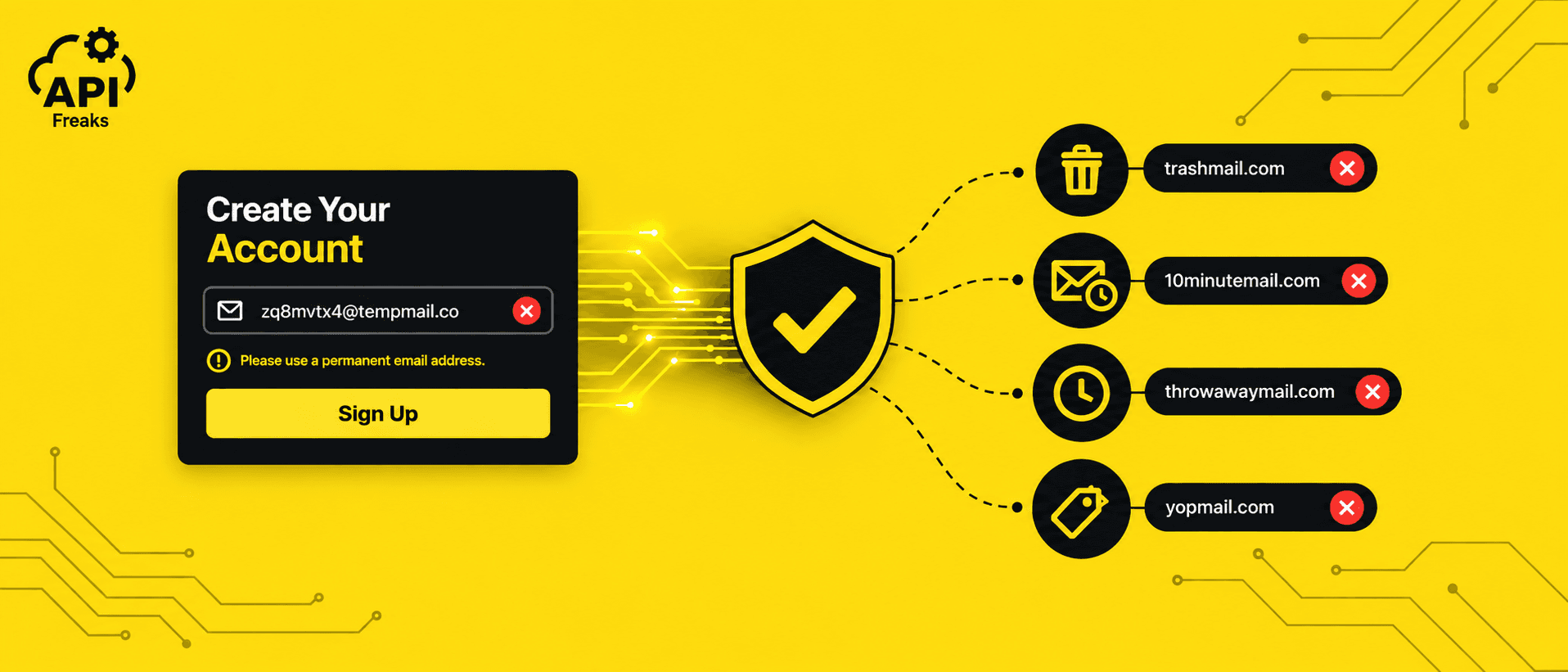

To block disposable email addresses, run each signup through a check that flags known throwaway domains, catch-all mail servers, and forwarding aliases before the account is created, then reject, flag, or gate it based on what you find. Disposable addresses pass your signup form, confirm the verification step, and then go quiet. Sometimes within hours, sometimes within days, your form had no way to tell the difference, so it let them through.
This guide covers what disposable addresses are, the methods that catch them, from a basic domain list up to a real-time validation API, and how to block them the right way: reject outright, flag and let the person fix it, or let it through with conditions.
Key Takeaways
- Not every disposable address should get the same response: block free trials outright, flag or gate everything else.
- Detection comes first, but two patterns matter for how you handle it: throwaway inboxes and forwarding aliases behave differently once flagged. Plus addressing isn't one of these either. It's the same mailbox as the real address.
- Don't count on a bounce to catch a dead address. Many disposable domains are catch-all, so blocking at signup is the only reliable point of control.
- Blocklists alone won't get you there. MX records and domain age add context, but real-time detection is what makes blocking possible before the address ever lands in your database.
- Frontend checks can be bypassed, so the block must run server-side to work.
- Our Email Checker API flags disposable addresses in real time, with IP threat data on the same call. Our Bulk Email Validation API checks up to 10 addresses at once.
If you want to skip straight to the implementation, our Email Checker API returns a domain.disposable flag in a single call. The rest of this guide explains what it's checking and why each signal matters.
What Is a Disposable Email Address
A disposable email address is one made for short-term or one-off use instead of long-term contact. Someone creates it, gets through a signup or a verification step, and often never opens it again. While it's active, it works like any other inbox. It can receive mail just fine. The difference is nobody's planning to check it for long, and once that's done, the address is usually left behind for good.
People call these addresses a few different names: temp mail, throwaway email, burner email. Same idea, different word. For this guide, it's useful to split them into two patterns based on how they behave, not because these are official industry categories, but because each one fails differently once it's done being used:
- Classic throwaway inboxes. A public inbox anyone can create instantly, no signup needed. Mailinator and YOPmail are common examples. These are meant for one-time use and aren't designed to hold anything long-term.
- Forwarding aliases. An address that forwards incoming mail to a real inbox, with no set expiration. Apple Hide My Email, SimpleLogin, and Firefox Relay work this way. The alias stays active until the user manually turns it off, which means it can sit in your database looking perfectly reachable for months or years after the person stops monitoring it.
A quick note on plus addressing: you'll sometimes see user+tag@gmail.com listed as a type of disposable email. It isn't one, at least not on Gmail, that address and user@gmail.com are the same mailbox, with no separate address involved. It's mentioned here only so it doesn't get confused with the types above.
Most reasons someone reaches for one of these addresses have nothing to do with abuse: testing a signup flow, being cautious with a site they don't trust yet, avoiding a newsletter that never stops. The one exception worth flagging now is repeating a free trial after the first one lapses, since that's the case that changes how you should respond to it, covered later in this guide.
How to Detect Disposable Email Addresses
Detection works in layers. No single method catches everything on its own, and each one below has a real gap that the next one tries to close.
Checking Against a List of Known Domains
Compare the address's domain against a list of known disposable providers. It's fast, free, and easy to set up, and it's usually the first layer any team adds. The disposable-email-domains list on GitHub is a common example, a community-maintained blocklist that's been running since 2014.
The problem: disposable providers register new domains constantly, and a list only knows about domains someone has already added to it. A domain that went live yesterday won't be on any list yet, and services know these lists exist, so they deliberately register new domains ahead of getting flagged. This method only ever catches what's already been seen before.
Checking MX Records
Instead of relying on the domain name itself, this method looks at which mail server handles a domain's email. Many disposable providers manage large numbers of domains through shared backend infrastructure, so even when the domain name is new and unlisted, its MX records can still point to a mail server already tied to other known disposable domains. Resolving those MX hosts down to their IP addresses and comparing against known disposable infrastructure turns a simple domain check into an infrastructure map.
Where this breaks down: this only works when providers share infrastructure across their domains. More sophisticated services run separate mail servers on different IPs for different domains specifically to avoid this kind of fingerprinting. It's also possible for someone to point a custom domain's MX records at disposable-style infrastructure, which produces a pattern that doesn't match any known signature at all. A shared MX record is a strong clue when it exists, but its absence doesn't clear a domain either
Domain Age and WHOIS Signals
One thing MX records don't tell you is how long a domain has existed. That's where checking registration data comes in. A domain registered a few days ago, with no real website behind it, looks different from one that's been active and stable for years.
The catch: age alone doesn't separate fraud from legitimate use, plenty of real businesses launch on brand-new domains too, so it only helps when combined with other signals. It also isn't something you get for free, getting this data yourself means paying for a dedicated Domain WHOIS Lookup API and building the logic to turn a raw registration date into something you can use. Blocklists, MX records, and domain age all fall short of one thing: none of them confirm whether the mailbox on the other end is real. That's a different question entirely.
SMTP Handshaking
This is the most direct way to try answering it: connect to the domain's mail server and ask whether a specific mailbox exists, without actually sending anything.
Why it's unreliable in practice: many disposable providers configure their domains as catch-all, meaning they accept mail for absolutely any address, real or made up, so the mail server just says "yes" every time, no matter what you ask about. On top of that, some servers automatically reject the first check from anyone new, which can look like a failure even when the mailbox is completely fine. And checking too many addresses too quickly can get your own server flagged and blocked by the very servers you're trying to check. Asking the server directly sounds simple, but in practice it gives unreliable answers a lot of the time.
Looking at Signup Behavior
Every method so far looks at the address itself. This one looks at the person behind it instead: immediate use of a free trial, zero engagement with any email sent, a signup coming from an IP with a known history of abuse.
The timing issue: these signals only exist after the fact, and the IP piece needs its own dedicated IP Geolocation API and IP Threat Intelligence API service to check in the first place. Even with that in place, none of it tells you anything at the moment someone's filling out your signup form, by the time there's behavior to look at, the account is already sitting in your system.
Real-Time Email Checker API
Every method above solves one piece of the puzzle and leaves another piece open. A blocklist misses new domains. MX records need shared infrastructure to work. Domain age needs its own paid lookup. SMTP checks fail on catch-all domains. And behavioral signals need their own IP intelligence service, only applying after the fact. Running all of that yourself means building and maintaining five separate systems just to answer one question. Our Email Checker API folds them into a single call instead.
Here's what that looks like:
# Check a single email address for a disposable domain
curl -X 'POST' \
  'https://api.apifreaks.com/v1.0/email-validation/single?apiKey=API-KEY' \
  -H 'Content-Type: application/json' \
  -d '{
    "email": "xk29fj3m@wmail1.com"
}'
Response:
{
  "success": true,
  "email": "xk29fj3m@wmail1.com",
  "validEmail": "accept_all",
  "validSyntax": true,
  "reason": "domain accepts all addresses.",
  "domain": {
    "catchAll": true,
    "disposable": true,
    "free": false,
    "name": "wmail1.com",
    "spam": false,
    "validDomain": true
  },
  "account": {
    "fullMailBox": false,
    "role": false
  },
  "dns": {
    "mxRecord": [
      "mx4.beavis99.com.",
      "mx4.beavis99.net."
    ]
  }
}
domain.disposable is the exact flag the blocklist method was trying to catch with a static list. dns.mxRecord shows the actual backend, mx4.beavis99.com and mx4.beavis99.net, no obvious connection to wmail1.com at all, resolved automatically instead of requiring a manual lookup. domain.catchAll confirms the domain accepts every address, which is why validEmail returns accept_all with a reason instead of valid.
Validating an Email Address with the Signup IP
The one method still left standing on its own was signup behavior, since it needed a separate IP intelligence service. Pass the signup IP alongside the email, and that gap closes too:
# Check an email address with the signup IP for combined threat and disposable signals
curl -X 'POST' \
  'https://api.apifreaks.com/v1.0/email-validation/single?apiKey=API-KEY' \
  -H 'Content-Type: application/json' \
  -d '{
    "email": "yoyowe8273@hidevak.com",
    "ip": "192.42.116.16"
}'
Response:
{
  "success": true,
  "email": "yoyowe8273@hidevak.com",
  "validEmail": "accept_all",
  "validSyntax": true,
  "reason": "domain accepts all addresses.",
  "domain": {
    "catchAll": true,
    "disposable": true,
    "free": false,
    "name": "hidevak.com",
    "spam": false,
    "validDomain": true
  },
  "account": {
    "fullMailBox": false,
    "role": false
  },
  "dns": {
    "mxRecord": [
      "mail.wabblywabble.com.",
      "mail.wallywatts.com."
    ]
  },
  "ip": "192.42.116.16",
  "address": {
    "location": {
      "city": "Amsterdam",
      "continent_code": "EU",
      "continent_name": "Europe",
      "country_code2": "NL",
      "country_code3": "NLD",
      "country_name": "Netherlands",
      "country_name_official": "Kingdom of the Netherlands",
      "district": "Centrum",
      "is_eu": true,
      "state_prov": "North Holland",
      "zipcode": "1012"
    },
    "security": {
      "cloud_provider": "Church of Cyberology",
      "is_anonymous": true,
      "is_bot": true,
      "is_cloud_provider": true,
      "is_known_attacker": true,
      "is_proxy": false,
      "is_spam": true,
      "is_tor": true,
      "threat_score": 100
    },
    "validIpAddress": true
  }
}
This response shows a disposable, catch-all domain tied to a signup from a known Tor exit node, flagged for attacks, spam, and bot traffic, with a threat score of 100. That location and threat data comes from the same intelligence our IP Geolocation API and IP Threat Intelligence API provide on their own, folded directly into this one call. Domain age is the one gap this single call doesn't close, for registration date and history, pair this with our Domain WHOIS Lookup API.
If you'd rather see this in action before wiring it into your own signup form, try our Disposable Email Checker, a tool that detects temp mail and fake email addresses. It runs the same check without writing any code, useful for a quick manual lookup or for testing an address before you commit to the integration below.
Adding This Check to Your Signup Form
The API returning a result is only useful once it runs at the moment someone clicks "Sign Up." The idea is simple: the frontend collects the email, sends it to your backend, and your backend calls our Email Checker API and reads the domain.disposable field before deciding whether the signup goes through.
Here's the clean version:
Frontend: Send the Signup Request and Handle the Response
const handleSignup = async (email, password) => {
  const res = await fetch('/api/signup', {
    method: 'POST',
    headers: { 'Content-Type': 'application/json' },
    body: JSON.stringify({ email, password })
  });

  const data = await res.json();

  if (!res.ok) {
    setError(data.message);
    return;
  }

  window.location.href = '/welcome';
};
Backend: Where the Actual Decision Gets Made
The /api/signup route runs the disposable email check and decides whether the account gets created.
const express = require('express');
const router = express.Router();

router.post('/api/signup', async (req, res) => {
  const { email, password } = req.body;

  try {
    const checkRes = await fetch(
      `https://api.apifreaks.com/v1.0/email-validation/single?apiKey=${process.env.APIFREAKS_KEY}`,
      {
        method: 'POST',
        headers: { 'Content-Type': 'application/json' },
        body: JSON.stringify({ email })
      }
    );

    const result = await checkRes.json();

    if (checkRes.ok && result.domain?.disposable) {
      return res.status(400).json({ message: 'Please use a permanent email address.' });
    }
  } catch (err) {
    console.error('Email validation check failed:', err);
    // If the check itself fails, don't block a legitimate signup over it.
  }

  const user = await createUser(email, password);
  res.status(201).json({ userId: user.id });
});

module.exports = router;
What It Costs You If You Don't Block Disposable Email Addresses
You've seen how to catch one of these addresses and how to wire that check into your signup form. Here's what happens if that catch doesn't lead to any action. Letting one sit in your system instead of blocking it at signup is a different problem, and it's easy not to notice until it starts costing you.
- Bounce rate damage. A throwaway inbox or expired forwarding address that stops working turns into a hard bounce, a permanent failure that doesn't clear up on retry. According to Klaviyo, a bounce rate above 2% needs attention, 1% to 2% signals room for improvement, and under 1% is considered healthy. A handful of disposable addresses slipping past your signup form is enough to push a list out of that healthy range, which is exactly what catching these addresses early is meant to prevent.
- A deliverability spiral. Bounces read as a negative signal to mailbox providers, which lowers inbox placement. Lower placement means lower open rates, and low open rates become another bad signal on top of the bounces already there, a cycle that's easier to stay ahead of than to undo.
- Signup numbers that don't mean anything. An address that clears your signup form counts as a new user in your dashboard even if it never does anything again, which quietly breaks metrics like cost per lead or customer acquisition cost.
How to Block Disposable Email Addresses: Reject, Flag, or Gate
Catching a disposable address only matters if you decide what to do with it. Here's how to make that call, and it's not the same answer for every signup.
| Situation | Recommended Action |
|---|---|
| Classic throwaway inbox on a standard signup | Flag with a message, let them fix it |
| Forwarding alias (Apple Hide My Email, SimpleLogin, etc.) | Let it through, don't block |
| Free trial signup | Block outright |
| Signup where you want more confidence without an outright block | Double opt-in or feature gating |
| Addresses already sitting in your database | Run bulk validation before your next send |
Reject Outright or Just Flag It?
Not every disposable address deserves the same response. A classic throwaway inbox, created purely to get through a form once, is a fair target for a hard block. A forwarding alias like Apple Hide My Email belongs to a real person who's just being careful about privacy. Blocking those outright costs you a real signup for no good reason.
For most signup forms, the simplest and most effective approach is to just tell the person and let them fix it themselves. If the check comes back disposable, show a message right there on the form, something like "please use a permanent email address," instead of silently rejecting the signup. Most people using a throwaway address weren't trying to sneak past you, they just grabbed whatever was quickest. Once they see the message, they'll usually swap in their real email and continue.
This works better than a hard block for a simple reason: a hard block just stops the signup, with no path forward except giving up. A message gives the person a chance to complete what they were already trying to do. You still catch the same disposable addresses; you just don't lose the signup along with it.
Free trials are the one clear exception. Block those outright. Someone using a disposable address for a free trial is usually planning to run it again under a new address the moment this one lapses, not making an honest mistake, and each repeat costs you something real: support time, infrastructure, and discount margin on an account that was never going to convert. There's no reason to give that signup a chance to fix itself and retry.
Double Opt-In and Feature Gating
Hard block and flag-with-a-message aren't the only two options. If you want more confidence in an address without turning away a signup outright, two middle-ground approaches are worth adding to the mix:
- Double opt-in or OTP verification. Instead of activating the account immediately, send a confirmation link or a one-time code and wait for it to come back before the signup finishes. A real disposable address can technically receive that message, but a lot of throwaway inboxes get abandoned before the confirmation step, so this alone filters out a chunk of them without ever needing to flag anything.
- Feature-level gating. Let the signup through as-is, but hold back anything sensitive or resource-heavy, file uploads, API key generation, payment methods, until the email is confirmed. This keeps your funnel open while limiting what an unverified account can do with it.
Neither of these replaces detection. They're what you layer on top of a disposable flag when a straight block or a flag-and-message feels like too blunt a tool for the signup in front of you.
Blocking What's Already in Your Database
New signups aren't the only place this problem shows up. If disposable addresses already made it into your database, from before you added detection, from an imported list, from a CSV a sales team uploaded, they're still sitting there, still capable of dragging down your bounce rate the next time you send to them.Bulk validation is what handles this: running your existing list through a check before your next send, rather than only screening new signups going forward. Our Bulk Email Validation API checks up to 10 addresses in a single request, running the same disposable, catch-all, and role-account checks as the single endpoint, just applied to a list you already have instead of one signup at a time.And this isn't a one-time job either. An address that passes validation today can stop working later, a throwaway inbox expires, a forwarding alias gets turned off, and neither of those show up unless you check again. A few points worth building into a regular routine:
- At signup: the earliest point to catch a bad address, before it ever reaches your database.
- At import: any list you inherit, buy, or pull in from another system, checked before it merges with your existing data.
- Before a large send: a quick pass across your list before anything goes out to a big batch of recipients.
- On a quarterly sweep: a full recheck of your existing database, since addresses that were valid when collected can go dead over time.
None of this replaces blocking at signup. It just accounts for the fact that "valid now" and "valid later" aren't the same guarantee.
Free Email Isn't the Same as Disposable Email
domain.free and domain.disposable show up right next to each other in the same response, but they're answering two different questions. domain.free just tells you the address is on a free provider, Gmail, Yahoo, Outlook. domain.disposable tells you the address was built to be abandoned. A Gmail address is free, but it's not disposable. It belongs to a real person who plans on checking it.
Treating the two as the same thing leads to the wrong fix. Blocking every free provider to try to catch disposable addresses also blocks real signups, since a large share of everyday users simply use Gmail or Yahoo as their main address. The two flags exist separately because they answer separate questions, and only one of them tells you the address won't be around for long.
Conclusion
Catching disposable email addresses by hand was never realistic, each method alone leaves a gap the next one has to close. But catching one is only half the job. What you do next, reject it, flag it, gate it, or let it through, is what determines whether blocking disposable email addresses protects your signups or costs you real ones. The difference between catching a problem at signup and finding it three months later in your bounce report comes down to whether that check, and that decision, run at all.
Adding this to your signup form starts with our Email Checker API and Bulk Email Validation API, which start with 10,000 free credits shared across your account and no credit card required Grab a key and run the code above.
Frequently Asked Questions
What's the difference between a disposable email and a spam trap?
A disposable email is made by a real person who doesn't want to be reached long-term. A spam trap is different. It's an address set up by email providers or blocklist services specifically to catch senders with bad habits, like buying lists or not cleaning old addresses. Some spam traps were never real inboxes at all. Others used to be real but got abandoned and later reused this way. Either kind is worse for you than a normal bounce, hitting one can get you blocklisted.
Are throwaway emails illegal?
No, using a disposable email address itself isn't illegal in most places. People use them for legitimate reasons: avoiding spam, testing signup flows, keeping a primary address private. What can cross into a problem is what the address is used for, if it's used to repeatedly claim a free trial or discount that's meant for one signup per person, that's a terms-of-service violation, not a legal one in most cases, but it's still something you're allowed to block or reject on your own platform.
Can a fake email be traced?
Not really, not from the address alone. A disposable inbox usually has nothing tying it to a real person. What you can trace instead is what happened around it, the IP it signed up from, when it signed up, what it did after. That's the stuff that tells you something.
Can blocking disposable emails accidentally block real customers?
It can, if the check isn't specific enough. A domain that's briefly configured as catch-all, or a business that recently switched providers, can occasionally look similar to a disposable pattern. This is exactly why flagging with a message works better than a silent hard block for most signups, a real customer can just correct it and continue, while an actual disposable address usually won't bother.
Does blocking disposable emails hurt conversion rates?
It can lower your signup numbers, since some of those signups get rejected now. But the signups you do keep are more likely to be real. So it depends what you care about more, a bigger number or a number you can actually trust.