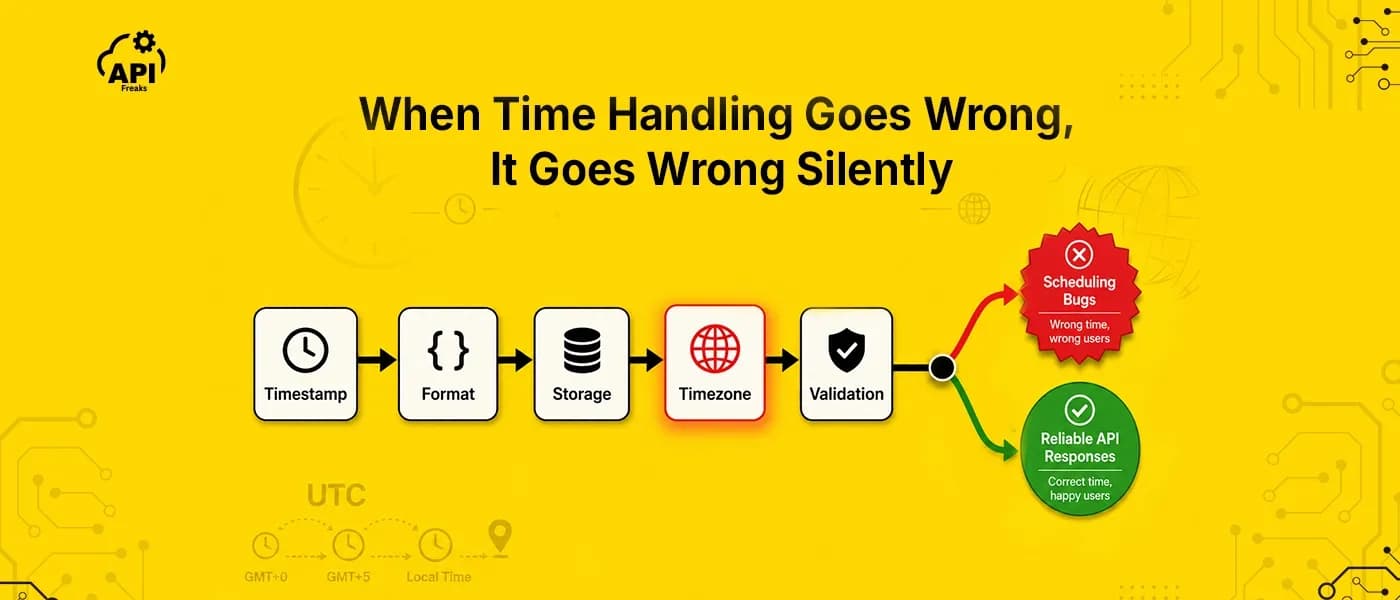

Time handling is one of the smallest decisions in API design and one of the most expensive to get wrong. A misconfigured timezone in a database config, an ambiguous timestamp in a response body, a UTC offset stored instead of an IANA zone name. None of these throw exceptions. They produce silent data corruption, scheduling bugs, and integration failures that only surface months after deployment. Usually in production. Usually at 2 AM.
This guide covers the design decisions that determine whether your timestamp handling is solid or fragile: format selection, storage strategy, timezone representation, inbound validation, and DST edge cases. It's written for engineers designing or refactoring REST APIs that handle events, scheduling, logging, or multi-region data. If you've built a REST API before, you know enough to follow along.
Key Takeaways
- Return ISO 8601 UTC strings (e.g., 2026-05-21T10:00:00Z) as your primary format. Unix integers work as optional companions for consumers that need numeric sorting, not as the default.
- Store UTC in the database; localize only at the display layer. Never let server-local time bleed into serialized output.
- A timezone is a rule set, not a snapshot. Store IANA names (America/New_York), not raw offsets (-05:00), which are frozen at a single point in time and carry no DST rules.
- Recording past vs. future: Something that already happened needs only a UTC timestamp. Expressing a future intention like "9 AM every Monday" needs UTC and an IANA timezone name together, or the intent doesn't survive DST transitions.
- Reject ambiguous inbound timestamps with a 400 Bad Request. Never silently assume UTC.
- Unix integer precision: A 10-digit Unix integer is seconds; 13-digit is milliseconds. Document precision explicitly and validate it on arrival. Mixing them silently places events in 1970 or 2554.
- Timezone data goes stale. Governments change DST rules with little notice, and a bundled library accurate at deploy time may not be accurate today.
What Timestamp Format Should REST APIs Use?
Three formats appear consistently in REST API responses.
Unix integer (e.g., 1715000000) is compact, sort-friendly, and timezone-agnostic. Databases and message queues love it. Humans don't. It's opaque without a converter, and precision must be documented explicitly because there's no way to tell from the number itself whether it represents seconds or milliseconds.
ISO 8601 (e.g., 2024-05-06T10:00:00Z) is self-describing. The Z suffix signals UTC unambiguously. Every major programming language parses it natively. It's the right default for any public-facing API.
RFC 2822 (e.g., Mon, 06 May 2024 10:00:00 GMT) belongs in HTTP headers: Date, Last-Modified, Expires. Seeing it in a JSON body is almost always a mistake, unless the API documents it deliberately and applies it consistently (Twilio does exactly this).
Real-world split: Stripe uses Unix integers throughout their API. GitHub and Slack use ISO 8601. Twilio uses RFC 2822 in JSON bodies. Neither choice is universally wrong. The problem is inconsistency within a single API, or using any format without documenting it explicitly.
The practice: Return RFC 3339 / ISO 8601 UTC as the primary field. If some consumers need numeric sorting, add a companion Unix integer as a secondary field. Use the _at suffix consistently: created_at, updated_at, scheduled_at. Never mix formats across fields in the same response.

// ❌ Inconsistent — mixing formats, ambiguous timezone
{
  "created": 1715000000,
  "updated_at": "Mon, 06 May 2024 10:00:00 GMT",
  "scheduled": "2024-05-06 10:00:00"
}

// ✅ Consistent — ISO 8601 UTC primary, Unix integer companion
{
  "created_at": "2024-05-06T10:00:00Z",
  "created_at_unix": 1715000000,
  "updated_at": "2024-05-08T14:22:31Z",
  "scheduled_at": "2024-05-10T09:00:00Z"
}
On the seconds vs. milliseconds problem: a 10-digit Unix integer is seconds; 13-digit is milliseconds. Mixing them silently places events in 1970 or 2554. This happens more often than you'd expect when a backend switches integer precision and a consumer doesn't update. If you're not sure what you're looking at, a Unix Timestamp Converter tool can auto-detect precision from digit count, useful for quick debugging when a timestamp looks obviously wrong.
What's the difference between UTC and a Unix timestamp? A Unix timestamp is a timezone-agnostic integer counting seconds (or milliseconds) since 1970-01-01T00:00:00Z. UTC is the time standard that defines that zero point. Every Unix timestamp implicitly represents a UTC moment, though it carries no timezone information itself.
Where Should Timestamps Be Stored and in What Format?
The rule is simple: UTC in the database, UTC in the API response. Local time only at the display layer: frontend, mobile client, report generator.
Storing server-local time silently corrupts historical records when you migrate infrastructure, change server regions, or cross a DST boundary. You won't notice it at write time. You'll notice it six months later when timestamps in the database are off by an hour and nobody knows why.
The most common failure mode: the ORM or database driver serializes timestamps using the server's local timezone when the UTC intent isn't explicitly enforced at the framework level. One misconfigured setting like timezone = "America/New_York" in a database connection config causes every timestamp in every response to carry that drift invisibly.
// ❌ Server-local time bleeding into API response — no offset, ambiguous
{
  "created_at": "2024-05-06T06:00:00"   // Is this UTC? Eastern? Nobody knows.
}

// ✅ UTC enforced, explicitly indicated
{
  "created_at": "2024-05-06T10:00:00Z"  // Z suffix: unambiguous UTC
}

Database-Level Considerations
The ORM warning above has a more specific form at the database layer.
PostgreSQL: Use timestamptz (TIMESTAMP WITH TIME ZONE). PostgreSQL stores it as UTC internally and converts to the session timezone on output. If your session timezone is misconfigured, output drifts. Store UTC, query UTC, convert only at the display layer.
MySQL: Use DATETIME, not TIMESTAMP. MySQL's TIMESTAMP column type is stored as UTC and auto-converts on read based on the server's time_zone setting, which is correct in principle but breaks silently when the server timezone changes. More critically, MySQL TIMESTAMP is a 32-bit type and hits the 2038 overflow. DATETIME has no timezone conversion behavior and no 2038 issue, which makes it the safer choice when you enforce UTC at the application layer.
ORM config: Check the database connection timezone setting. In Sequelize it's dialectOptions.timezone. In ActiveRecord it's config.time_zone. In Hibernate it's hibernate.jdbc.time_zone. Set all of them to UTC explicitly; don't rely on the server default.
The rule extends to the wire format: if a timestamp leaves your API without a Z suffix or an explicit UTC offset, it's underdocumented. A consumer who receives 2024-05-06T10:00:00 with no offset has to guess. And they'll guess wrong at the worst possible moment.
The Year 2038 Problem
32-bit signed Unix timestamps overflow on January 19, 2038 at 03:14:07 UTC. Any system storing timestamps as 32-bit integers will either error or silently wrap to a negative number, placing events in 1901. 64-bit integers extend the range to the year 292 billion. The risk isn't theoretical: MySQL's TIMESTAMP column type is 32-bit and will overflow in 2038. DATETIME is not affected. Audit any legacy dependency, particularly C extensions, embedded systems, old database column definitions, and third-party integrations that haven't been explicitly verified to use 64-bit storage.
What's the Difference Between a UTC Offset and an IANA Timezone Name?
This is the distinction that most timestamp guides either skip or explain poorly, and it's the one that causes the worst bugs in scheduling systems.
A UTC offset (+05:30, -05:00) records which offset applied at one specific point in time. It carries no DST rules, no history, and no knowledge of future government decisions. It's a frozen snapshot.

An IANA timezone name (America/New_York, Asia/Karachi, Europe/London) is the rule set that generates those offsets. It resolves correctly at any point in time, past or future, including transitions and government-mandated changes. Think of the timezone/offset relationship as 1:N across time: a single timezone has many offsets across its history.
Abbreviated names (EST, IST, CST) are globally ambiguous and shouldn't appear in API responses or storage at all. IST refers simultaneously to India Standard Time, Ireland Standard Time, and Israel Standard Time. CST covers at least four zones. There's no safe way to use these abbreviations across international integrations.
// ❌ UTC offset only — frozen snapshot, loses DST intent
{
  "scheduled_at": "2024-03-10T14:00:00Z",
  "timezone_offset": "-05:00"
}

// ✅ IANA name + offset + local string — complete picture
{
  "scheduled_at": "2026-03-08T14:00:00Z",
  "timezone": "America/New_York",
  "timezone_offset_seconds": -18000,
  "local_time": "2024-03-10T09:00:00"
}
Should You Store UTC Alone, or UTC Plus a Timezone Name?
This is the conceptual divide that makes the IANA requirement either critical or optional depending on your use case.
Recording a moment (an audit log entry, a payment event, a server error) requires only a UTC timestamp. The moment has already happened. UTC captures it unambiguously, and no future DST change can alter what already occurred.
Expressing an intention (a calendar event, a scheduled notification, a recurring job at "9 AM every Monday") requires both a UTC timestamp and an IANA timezone name. The intent is defined in local time, and that intent must survive future DST transitions.
Here's the specific failure: if you store 2026-03-08T14:00:00Z without America/New_York, right around the US spring-forward transition, you've permanently lost the information about whether that event was scheduled for 9 AM or 10 AM local time. The UTC timestamp is correct for one of those answers. You just can't know which.
// ✅ Past event (logging, auditing)
{
  "event": "payment_completed",
  "occurred_at": "2026-03-08T14:00:00Z"
}

// ✅ Future intention (scheduling)
{
  "event": "send_weekly_report",
  "scheduled_at": "2026-03-08T14:00:00Z",
  "timezone": "America/New_York",
  "local_time": "2026-03-08T09:00:00",
  "recurrence": "WEEKLY"
}
Two DST edge cases that naive inbound parsing gets wrong silently: the spring-forward gap (clocks jump 1:59 AM to 3:00 AM, so 2:30 AM doesn't exist that night; a parser will silently shift by an hour), and the fall-back overlap (clocks fall back and 1:30 AM occurs twice, making an offset-free inbound timestamp genuinely ambiguous). Your validation layer needs a policy for both: reject non-existent local times with a 400 and ask for a UTC value; for ambiguous overlap times, document which occurrence you assume. Not all offsets are whole-hour multiples either: India is UTC+5:30, Nepal UTC+5:45, Iran UTC+3:30. Manual offset arithmetic breaks on these without explicit handling.
How Should APIs Validate Inbound Timestamps?
A datetime string submitted without a timezone indicator is ambiguous. Don't silently assume UTC. Reject it with a 400 Bad Request and a descriptive error body. This is the one place where silent helpfulness actively causes bugs downstream.
Validation rules that matter in practice:
- Reject any datetime string without a timezone indicator (
Zor+HH:MM) - Reject any IANA timezone name that doesn't resolve to a known zone. Typos like
America/New_York(trailing space) orUS/Eastern(deprecated alias) should return a clear error, not a silent fallback - Validate Unix integer precision: a 13-digit integer is milliseconds, 10-digit is seconds. If your API accepts seconds, a 13-digit value should return an error, not an event scheduled in 2554
- Normalize on receipt: convert all accepted formats to UTC before storing or processing
# ✅ Valid request — explicit IANA zone via query parameter
curl "https://api.example.com/events?timezone=America%2FNew_York" \
  -H "Content-Type: application/json" \
  -d '{"scheduled_at": "2024-05-10T09:00:00Z"}'

# Response
{
  "scheduled_at": "2024-05-10T09:00:00Z",
  "local_time": "2024-05-10T05:00:00",
  "timezone": "America/New_York"
}
# ❌ Rejected — ambiguous timestamp, no timezone indicator
curl "https://api.example.com/events" \
  -d '{"scheduled_at": "2024-05-10T09:00:00"}'

# 400 Response
{
  "error": "invalid_timestamp",
  "message": "Field 'scheduled_at' must include a timezone indicator. Use ISO 8601 UTC format (2024-05-10T09:00:00Z) or include an explicit UTC offset.",
  "field": "scheduled_at"
}
Document every timestamp field in your OpenAPI schema. format: date-time alone doesn't enforce UTC and isn't sufficient. Specify: format, timezone behavior ("always UTC, always ends in Z"), precision (seconds vs. milliseconds), and what error the API returns for malformed values.
# OpenAPI schema — explicit timestamp documentation
created_at:
  type: string
  format: date-time
  description: >
    RFC 3339 / ISO 8601 UTC datetime. Always ends in 'Z'.
    Example: 2024-05-06T10:00:00Z
  example: "2024-05-06T10:00:00Z"
Recommended timezone libraries by language:
Language |
Library |
Notes |
|---|---|---|
JavaScript |
Temporal (native, Chrome 144+, Firefox 139+) |
Preferred for new projects |
JavaScript |
Luxon, date-fns-tz |
Good for legacy/Node.js <24 |
Python |
zoneinfo (stdlib, Python 3.9+) |
No install needed |
Python |
pytz |
For Python <3.9 |
Java |
java.time (JSR-310) |
Avoid java.util.Date and Calendar |
Go |
time.LoadLocation |
stdlib, uses embedded IANA data |
Ruby |
ActiveSupport::TimeZone |
Rails standard; uses TZInfo under the hood |
How Do You Keep Timezone Data Current Without Owning the Update Cycle?
Every practice in this guide hits the same operational dependency at some point: you need reliable, always-current IANA timezone data. For IANA zone validation, for IP-to-timezone resolution when a user sends no location context, for DST transition data that doesn't go stale between deployments.
Bundled libraries solve the issue, but create long-term trade-offs. When a government changes a DST rule, a library that shipped with your last deployment is already wrong. You won't know until an event fires at the wrong time.
The APIFreaks Timezone API is built around a single endpoint that accepts seven different input types: IP address, GPS coordinates, city/address string, IANA timezone name, IATA airport code, ICAO code, or UN/LOCODE. Whatever location identifier your system already has, you pass it directly. The response includes the IANA zone name, current local time in six formats, UTC offset with and without DST, is_dst flag, dst_savings, and the exact UTC timestamps for the next DST start and end, including gap and overlap indicators.
IP-based resolution is the most common use case for APIs that handle user sign-ups or session events where no explicit timezone is sent:
curl "https://api.apifreaks.com/v1.0/geolocation/timezone?apiKey=YOUR_API_KEY&ip=1.1.1.1"
{
  "ip": "1.1.1.1",
  "location": {
    "continent_code": "OC",
    "continent_name": "Oceania",
    "country_code2": "AU",
    "country_code3": "AUS",
    "country_name": "Australia",
    "country_name_official": "Commonwealth of Australia",
    "is_eu": false,
    "state_prov": "Queensland",
    "state_code": "AU-QLD",
    "district": "Brisbane",
    "city": "South Brisbane",
    "zipcode": "4101",
    "latitude": "-27.47306",
    "longitude": "153.01421"
  },
  "time_zone": {
    "name": "Australia/Brisbane",
    "offset": 10,
    "offset_with_dst": 10,
    "date": "2026-06-05",
    "date_time": "2026-06-05 05:14:20",
    "date_time_txt": "Friday, June 05, 2026 05:14:20",
    "date_time_wti": "Fri, 05 Jun 2026 05:14:20 +1000",
    "date_time_ymd": "2026-06-05T05:14:20+1000",
    "date_time_unix": 1780600460.305,
    "time_24": "05:14:20",
    "time_12": "05:14:20 AM",
    "week": 23,
    "month": 6,
    "year": 2026,
    "year_abbr": "26",
    "current_tz_abbreviation": "AEST",
    "current_tz_full_name": "Australian Eastern Standard Time",
    "standard_tz_abbreviation": "AEST",
    "standard_tz_full_name": "Australian Eastern Standard Time",
    "is_dst": false,
    "dst_savings": 0,
    "dst_exists": false,
    "dst_tz_abbreviation": "",
    "dst_tz_full_name": "",
    "dst_start": {},
    "dst_end": {}
  }
}
# Python — resolve timezone from user IP at login
import requests

def get_user_timezone(ip: str, api_key: str) -> str:
    resp = requests.get(
        "https://api.apifreaks.com/v1.0/geolocation/timezone",
        params={"ip": ip, "apiKey": api_key}
    )
    data = resp.json()
    return data["time_zone"]["name"]  # e.g. "Australia/Brisbane"
// Node.js — resolve and validate an IANA zone name on arrival
async function resolveTimezone(ianaName, apiKey) {
  const url = new URL("https://api.apifreaks.com/v1.0/geolocation/timezone");
  url.searchParams.set("tz", ianaName);
  url.searchParams.set("apiKey", apiKey);

  const res = await fetch(url);
  if (!res.ok) throw new Error(`Invalid timezone: ${ianaName}`);

  const data = await res.json();
  return {
    name: data.time_zone.name,             // canonical IANA name
    isDst: data.time_zone.is_dst,
    offsetWithDst: data.time_zone.offset_with_dst,
    dstEnd: data.time_zone.dst_end         // next fall-back UTC timestamp
  };
}
The API also handles airport and logistics codes directly. Pass iata_code=DXB and you get back Asia/Dubai alongside the full airport record (name, elevation, coordinates, country). Pass lo_code=DEBER and you get Europe/Berlin alongside the UN/LOCODE location type. For teams building flight booking tools, supply chain systems, or anything working with location identifiers that aren't IP addresses, this removes a translation layer.
For converting a specific timestamp between two locations, the Timezone Converter API accepts the same input types (timezone name, coordinates, address, airport code) and returns both local times and the offset between them. You store UTC + IANA name per the scheduling pattern above; the Converter handles display conversion for any second location.
# Converter: New York meeting time expressed in Karachi (correct parameter names: tz_from, tz_to, time)
curl "https://api.apifreaks.com/v1.0/timezone/converter?apiKey=YOUR_API_KEY&tz_from=America/New_York&tz_to=Asia/Karachi&time=2026-05-21 14:00"
{
    "original_time": "2026-05-21 14:00:00",
    "converted_time": "2026-05-21 23:00:00",
    "diff_hour": 9,
    "diff_min": 540
}
Try the APIFreaks Timezone API free. Resolve IANA timezone names from IP, coordinates, airport code, or address. No library to maintain or update. Starts with 10,000 free credits, no credit card required. Get Started →
What Real APIs Do: Stripe, GitHub, and Twilio
The design decisions in this guide aren't theoretical. Here's how three of the most widely integrated APIs handle timestamps:
Stripe uses Unix integers (seconds) throughout their API: created, current_period_start, current_period_end are all 10-digit integers. They chose this for sort-efficiency and because their SDKs abstract the conversion. The tradeoff is that every consumer needs to know the precision is seconds, not milliseconds.
GitHub uses ISO 8601 UTC strings (2024-05-06T10:00:00Z) as the default across their REST API. Its optional Time-Zone header does not localize responses. It sets the timezone GitHub applies to commit timestamps it generates on write operations, like creating file contents. Read responses always stay UTC.
Twilio's core REST API returns timestamps in RFC 2822 format (Tue, 06 May 2024 10:00:00 +0000) directly in JSON response bodies. It's a useful reminder that "RFC 2822 belongs only in headers" is a strong default, not an absolute law. It works for Twilio because the format is documented explicitly and applied consistently across every resource.
The pattern: companies that prioritize human-readable responses and multi-language SDKs use ISO 8601 / RFC 3339. Companies that prioritize numeric efficiency and have strong SDK layers use Unix integers. Neither is wrong. What matters is that the choice is consistent across every field in your API and documented explicitly.
Conclusion
Unix timestamp handling in REST APIs comes down to a few decisions that are easy to get right from the start and painful to fix retroactively. Return ISO 8601 UTC as your primary string format. Store UTC in the database and localize only at the display layer. Store IANA timezone names alongside UTC when scheduling future events, not raw offsets. Reject ambiguous inbound timestamps rather than assuming anything. Document precision, format, and error behavior explicitly in your OpenAPI schema.
Every bug in this category follows the same pattern: something was assumed instead of enforced. An offset assumed to be UTC. A timezone assumed to be stable. An integer assumed to be seconds. The practices in this guide share a single underlying principle: make the contract explicit at every boundary, inbound and outbound, and you eliminate the entire class of failure.
If you want to skip the library maintenance entirely, the APIFreaks Timezone API starts with 10,000 free credits and no credit card required. The same page covers both the Lookup and Converter APIs.