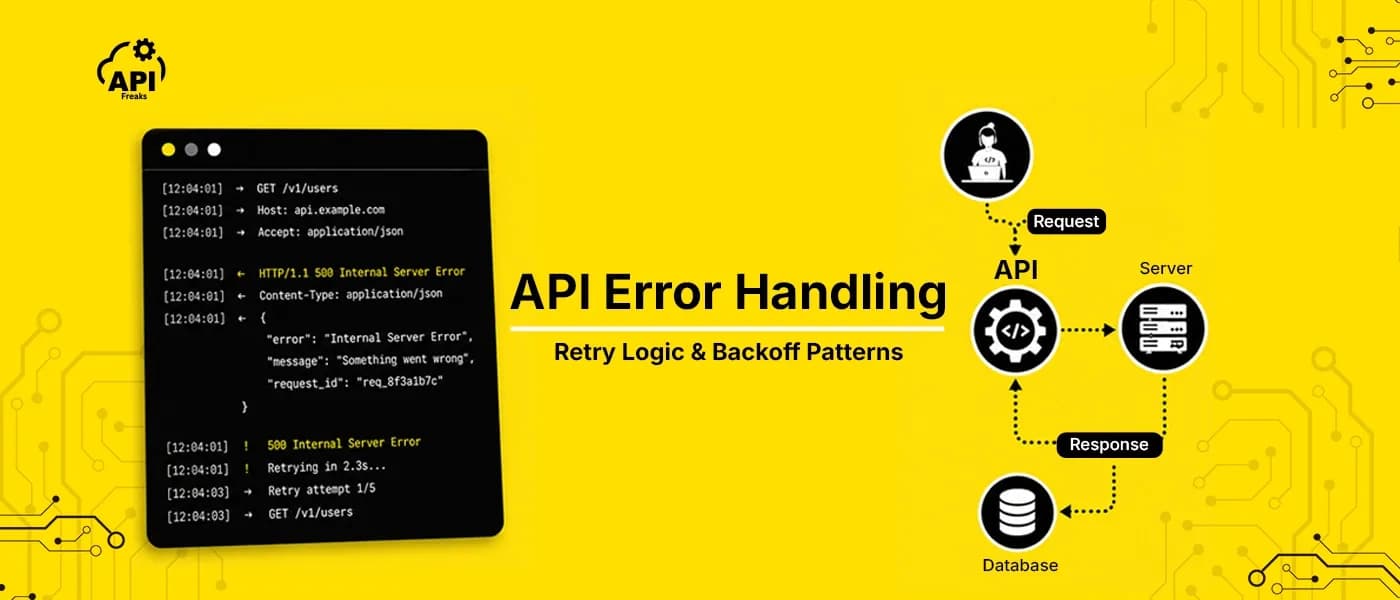

When an API call fails, two things usually happen. The developer logs the error, adds a generic retry, and ships. Three weeks later, something breaks in production in a way the logs barely explain — a credit balance silently hit zero, a concurrency limit was being exceeded without anyone noticing, or a retry loop was hammering a server that was already struggling.
Good API error handling is not about catching exceptions. It is about building integrations that respond intelligently to each type of failure — retrying the ones that will recover, surfacing the ones that need human attention, and treating some "errors" as normal data states rather than problems. This guide covers the patterns that make the difference.
The decision that determines everything: fix or retry?
Every error code your integration receives fits into one of two categories, and confusing them is the most common source of production bugs.
Fix-first errors — something in your request is wrong. The server understood the request and rejected it. Retrying the same request without changing anything produces the same error. The 4xx range is mostly this: a missing parameter (400), an invalid key (401), a billing block (402), a permission restriction (403), an unsupported format (406). Retrying these wastes credits, fills logs with noise, and in some cases triggers rate limiting on a connection that was never going to succeed.
Retry-first errors — something went wrong on the server's side, or the request was valid but conditions were temporarily wrong. The 5xx range belongs here: unexpected server failure (500), maintenance or overload (503), timeout (504). Your request was correct. Retrying with appropriate backoff is the right response.
The complication is that not everything fits neatly. Two 4xx codes need special handling:
429 is a 4xx you should retry — but not with standard backoff. A 429 means you hit a limit. Whether that limit is a time-window rate limit (requests per minute) or a concurrency limit (simultaneous in-flight requests), the fix is different in each case. For time-window limits, exponential backoff works. For concurrency limits, backoff is irrelevant — the fix is reducing how many requests are open at the same time. Knowing which type you're dealing with changes the entire handling strategy.
404 on a lookup API is not an error at all. If you query a WHOIS API for an unregistered domain and it returns 404, that is a valid answer: the domain has no record. The same applies to IP geolocation APIs for private addresses, DNS lookup APIs for hostnames with no records, and many other data APIs. Treating these as exceptions — retrying, alerting, throwing — means your integration is broken in a way that's hard to debug because technically nothing went wrong.
A simple decision tree covers most cases:

Exponential backoff and why you need jitter
When you decide to retry a 5xx error or a time-window 429, the naive approach is to wait a fixed interval — say, two seconds — and try again. The problem is that if many clients hit the same error at the same moment (a brief server overload, a deployment, a network hiccup), they all back off for the same two seconds and all retry at exactly the same time. This is the thundering herd problem, and it often turns a brief outage into a sustained one.
Exponential backoff solves half the problem. Instead of retrying at fixed intervals, each retry waits longer than the last:
Attempt 1: wait 1 second
Attempt 2: wait 2 seconds
Attempt 3: wait 4 seconds
Attempt 4: wait 8 seconds
The formula is base_delay * 2^attempt. This gives the server progressively more time to recover. AWS, Google Cloud, and most major platform guidance recommend this as the baseline retry strategy for transient errors.
But without jitter, clients that all failed at the same moment still retry at the same moment — they're just synchronized on a longer interval. You need jitter: a random offset added to each delay so retries spread out across time.

import time
import random

def call_with_retry(fn, max_attempts=4, base_delay=1, max_delay=30):
    for attempt in range(max_attempts):
        try:
            return fn()
        except RetryableError as e:
            if attempt == max_attempts - 1:
                raise  # Give up after max attempts

            delay = min(base_delay * (2 ** attempt), max_delay)
            jitter = random.uniform(0, delay * 0.3)  # up to 30% jitter
            wait = delay + jitter

            print(f"Attempt {attempt + 1} failed. Retrying in {wait:.1f}s...")
            time.sleep(wait)
async function callWithRetry(fn, maxAttempts = 4, baseDelay = 1000, maxDelay = 30000) {
  for (let attempt = 0; attempt < maxAttempts; attempt++) {
    try {
      return await fn();
    } catch (err) {
      if (!err.isRetryable || attempt === maxAttempts - 1) throw err;

      const delay = Math.min(baseDelay * Math.pow(2, attempt), maxDelay);
      const jitter = Math.random() * delay * 0.3;  // up to 30% jitter
      const wait = delay + jitter;

      console.log(`Attempt ${attempt + 1} failed. Retrying in ${(wait / 1000).toFixed(1)}s...`);
      await new Promise(res => setTimeout(res, wait));
    }
  }
}
A few parameters worth calibrating:
Max attempts: 3–4 is the right range for most integrations. More than 5 and you're extending the user-facing failure window significantly without meaningfully improving recovery odds. The first retry catches most transient failures; beyond that, you're likely dealing with something that won't self-resolve.
Max delay cap: Always cap the maximum wait time — 30 seconds is a reasonable ceiling. Without a cap, the formula grows unbounded and eventually stalls your application for minutes.
Jitter range: A random addition of 0–30% of the base delay is a reasonable default. AWS guidance describes more aggressive "full jitter" approaches (randomizing the entire delay rather than just adding to it), which distributes load even more evenly.
What makes an error retryable: Only retry errors that are likely to self-resolve — 500, 502, 503, 504, and time-window 429s. Do not retry on 400, 401, 403, or 404. Do not retry on connection errors caused by invalid request bodies. If you're not certain whether an error is retryable, don't retry it.
Handling concurrency limits differently from rate limits
Most retry guides treat 429 as a single case: "too many requests, back off and wait." But there are two fundamentally different reasons an API returns 429, and they need different responses.
Time-window rate limits — you've made too many requests in a given time period (per minute, per hour, per day). The fix is waiting for the window to reset. Exponential backoff works here. If the response includes a Retry-After header, use that value directly rather than computing your own delay — it's telling you exactly when the limit resets.
def handle_429(response, attempt):
    retry_after = response.headers.get('Retry-After')
    if retry_after:
        # Server told us exactly when to retry
        wait = float(retry_after)
    else:
        # Fall back to exponential backoff
        wait = min(1 * (2 ** attempt), 60)

    time.sleep(wait)
Concurrency limits — you have too many requests open simultaneously. The limit is not about how many requests you've made in total, but how many are in-flight at once. Waiting does nothing here if you fire the retry while the original requests are still open. The fix is a queue.
class ConcurrencyQueue {
  constructor(maxConcurrent) {
    this.maxConcurrent = maxConcurrent;
    this.active = 0;
    this.queue = [];
  }

  async run(fn) {
    if (this.active >= this.maxConcurrent) {
      // Wait for a slot
      await new Promise(resolve => this.queue.push(resolve));
    }

    this.active++;
    try {
      return await fn();
    } finally {
      this.active--;
      if (this.queue.length > 0) {
        const next = this.queue.shift();
        next(); // Release the next waiting request
      }
    }
  }
}

// Usage
const queue = new ConcurrencyQueue(5); // Max 5 simultaneous requests

async function fetchData(id) {
  return queue.run(() => apiClient.get(`/resource/${id}`));
}

Read the response headers to understand which type you're dealing with. APIs that enforce concurrency limits often return headers indicating the maximum allowed threads and currently active threads — read these on successful responses, not just on 429s, so you can configure your queue proactively rather than discovering the limit by hitting it.
The errors that fail silently: monitoring credit-based APIs
Standard error monitoring watches for 5xx spikes. For most APIs this is enough. But credit-based and subscription APIs have a failure mode that 5xx monitoring completely misses: the API starts returning 402 Payment Required and your integration stops working without a single exception being thrown in your code.
From your application's perspective, the API call is made, a response comes back, and the response body is parsed. No network error. No server failure. Just a 402 response that your code may not have a specific handler for — which means it might silently fail, return null, or trigger a generic fallback that masks the problem for hours.
The fix has two parts.
First, handle 402 explicitly and separately from other 4xx errors. A 402 is not a code problem. It's a billing state that requires a different action than any other error — checking your account, topping up credits, or upgrading a plan. Route it to a dedicated handler:
def handle_api_response(response):
    if response.status_code == 200:
        return response.json()
    elif response.status_code == 400:
        raise InvalidRequestError(response.json()['message'])
    elif response.status_code == 401:
        raise AuthenticationError(response.json()['message'])
    elif response.status_code == 402:
        # This is a billing issue — don't retry, don't ignore
        raise BillingError(response.json()['message'])
    elif response.status_code == 403:
        raise PermissionError(response.json()['message'])
    elif response.status_code in (500, 502, 503, 504):
        raise RetryableError(response.status_code)
    else:
        raise UnexpectedError(response.status_code, response.json())
Second, track credit consumption before the balance hits zero. Many credit-based APIs return a header on every response — including successful ones — showing how many credits the current request consumed. Logging this in production lets you catch trends before they become outages.
def log_api_call(response, endpoint):
    credits_used = response.headers.get('X-AF-Credits-Cost')

    log_entry = {
        'endpoint': endpoint,
        'status': response.status_code,
        'timestamp': response.headers.get('Date'),
    }

    if credits_used:
        log_entry['credits_consumed'] = int(credits_used)

    logger.info('api_call', extra=log_entry)
Set up an alert when your daily credit consumption crosses 80% of your limit. This gives you time to act before the 402 hits.
What to log on every request
Logging status codes is table stakes. What makes API logs useful in production is logging the information you'd need to diagnose a problem at 2am — not just that something failed, but enough context to understand why and reproduce it.
The minimum useful log entry for any API call:
logger.info({
    'event': 'api_call',
    'endpoint': endpoint,
    'method': method,
    'status_code': response.status_code,
    'duration_ms': elapsed,
    'attempt_number': attempt,       # Which retry was this?
    'error_message': error_message,  # response.json()['message'] on failure
    'request_id': response.headers.get('X-Request-ID'),  # If the API returns one
    'timestamp': datetime.utcnow().isoformat(),
})
Beyond the basic structure, log differently by error type:
For 4xx errors: log the full message field from the response body. API error messages are usually specific enough to diagnose the issue without making another request. A log that says status: 400 tells you nothing. A log that says status: 400, message: "Missing required parameter 'ip'" tells you exactly what happened.
For retry attempts: log the attempt number, the wait time before this attempt, and the error that triggered the retry. This lets you reconstruct the retry timeline when investigating an incident.
For 5xx errors: log the full response body including any request ID or timestamp fields the API returns. These are what you need when contacting the API provider's support team. A support request that includes a timestamp and endpoint is resolved significantly faster than one that just says "I got a 500."
What not to log: API keys, authentication tokens, or sensitive parameters. Scrub these before writing to logs.
Putting it together: a complete error handling layer
The patterns above work individually, but they work best as a single layer that all your API calls go through. Here is a complete implementation in Python and JavaScript that combines status code routing, exponential backoff with jitter, concurrency queue, and structured logging.
Python:
import time
import random
import logging
from dataclasses import dataclass
from typing import Callable, Any, Optional

logger = logging.getLogger(__name__)


class APIError(Exception):
    def __init__(self, status_code: int, message: str):
        self.status_code = status_code
        self.message = message
        super().__init__(f"API error {status_code}: {message}")


class RetryableError(APIError):
    pass

class BillingError(APIError):
    pass

class AuthError(APIError):
    pass


def parse_response(response, endpoint: str) -> dict:
    """Route the response to the right error type or return the data."""
    body = response.json()

    if response.status_code == 200:
        return body

    message = body.get('message', 'Unknown error')

    if response.status_code == 400:
        raise APIError(400, message)
    elif response.status_code == 401:
        raise AuthError(401, message)
    elif response.status_code == 402:
        raise BillingError(402, message)
    elif response.status_code == 403:
        raise APIError(403, message)
    elif response.status_code == 404:
        return None  # Treat as empty result on lookup APIs
    elif response.status_code == 429:
        raise RetryableError(429, message)
    elif response.status_code >= 500:
        raise RetryableError(response.status_code, message)
    else:
        raise APIError(response.status_code, message)


def call_api(
    fn: Callable,
    endpoint: str,
    max_attempts: int = 4,
    base_delay: float = 1.0,
    max_delay: float = 30.0,
) -> Any:
    """
    Call fn() with retry logic, exponential backoff with jitter,
    and structured logging.
    """
    last_error = None

    for attempt in range(max_attempts):
        start = time.time()
        try:
            response = fn()
            elapsed = int((time.time() - start) * 1000)

            # Log credit consumption if available
            credits = response.headers.get('X-AF-Credits-Cost')
            logger.info('api_call_success', extra={
                'endpoint': endpoint,
                'status': response.status_code,
                'duration_ms': elapsed,
                'attempt': attempt + 1,
                'credits_consumed': credits,
            })

            return parse_response(response, endpoint)

        except RetryableError as e:
            last_error = e
            elapsed = int((time.time() - start) * 1000)

            if attempt == max_attempts - 1:
                logger.error('api_call_failed', extra={
                    'endpoint': endpoint,
                    'status': e.status_code,
                    'message': e.message,
                    'duration_ms': elapsed,
                    'attempt': attempt + 1,
                    'final': True,
                })
                raise

            delay = min(base_delay * (2 ** attempt), max_delay)
            jitter = random.uniform(0, delay * 0.3)
            wait = delay + jitter

            logger.warning('api_call_retry', extra={
                'endpoint': endpoint,
                'status': e.status_code,
                'message': e.message,
                'attempt': attempt + 1,
                'retry_in_seconds': round(wait, 2),
            })

            time.sleep(wait)

        except (BillingError, AuthError, APIError) as e:
            elapsed = int((time.time() - start) * 1000)
            logger.error('api_call_error', extra={
                'endpoint': endpoint,
                'status': e.status_code,
                'message': e.message,
                'duration_ms': elapsed,
                'retryable': False,
            })
            raise  # Do not retry


# Example usage
import requests

def fetch_geolocation(ip: str, api_key: str) -> Optional[dict]:
    def make_request():
        return requests.get(
            'https://api.apifreaks.com/v1.0/geolocation/lookup',
            params={'apiKey': api_key, 'ip': ip},
            timeout=10,
        )

    return call_api(make_request, endpoint='/v1.0/geolocation/lookup')
JavaScript / Node.js:
const logger = require('./logger'); // your structured logger

class APIError extends Error {
  constructor(statusCode, message) {
    super(`API error ${statusCode}: ${message}`);
    this.statusCode = statusCode;
    this.apiMessage = message;
    this.isRetryable = false;
  }
}

class RetryableError extends APIError {
  constructor(statusCode, message) {
    super(statusCode, message);
    this.isRetryable = true;
  }
}

class BillingError extends APIError {}
class AuthError extends APIError {}


function parseResponse(response, body, endpoint) {
  if (response.status === 200) return body;

  const message = body?.message ?? 'Unknown error';

  switch (response.status) {
    case 400: throw new APIError(400, message);
    case 401: throw new AuthError(401, message);
    case 402: throw new BillingError(402, message);
    case 403: throw new APIError(403, message);
    case 404: return null; // empty result on lookup APIs
    case 429:
    case 500:
    case 502:
    case 503:
    case 504: throw new RetryableError(response.status, message);
    default:  throw new APIError(response.status, message);
  }
}


async function callAPI(fn, endpoint, {
  maxAttempts = 4,
  baseDelay = 1000,
  maxDelay = 30000,
} = {}) {
  let lastError;

  for (let attempt = 0; attempt < maxAttempts; attempt++) {
    const start = Date.now();

    try {
      const { response, body } = await fn();
      const elapsed = Date.now() - start;
      const credits = response.headers.get('x-af-credits-cost');

      logger.info('api_call_success', {
        endpoint,
        status: response.status,
        durationMs: elapsed,
        attempt: attempt + 1,
        creditsConsumed: credits ? parseInt(credits) : undefined,
      });

      return parseResponse(response, body, endpoint);

    } catch (err) {
      const elapsed = Date.now() - start;

      if (!err.isRetryable || attempt === maxAttempts - 1) {
        logger.error('api_call_error', {
          endpoint,
          status: err.statusCode,
          message: err.apiMessage,
          durationMs: elapsed,
          attempt: attempt + 1,
          final: true,
        });
        throw err;
      }

      const delay = Math.min(baseDelay * Math.pow(2, attempt), maxDelay);
      const jitter = Math.random() * delay * 0.3;
      const wait = Math.floor(delay + jitter);

      logger.warn('api_call_retry', {
        endpoint,
        status: err.statusCode,
        message: err.apiMessage,
        attempt: attempt + 1,
        retryInMs: wait,
      });

      await new Promise(resolve => setTimeout(resolve, wait));
      lastError = err;
    }
  }

  throw lastError;
}


// Example usage
async function fetchGeolocation(ip, apiKey) {
  return callAPI(
    async () => {
      const response = await fetch(
        `https://api.apifreaks.com/v1.0/geolocation/lookup?apiKey=${apiKey}&ip=${encodeURIComponent(ip)}`,
        { signal: AbortSignal.timeout(10000) }
      );
      const body = await response.json();
      return { response, body };
    },
    '/v1.0/geolocation/lookup'
  );
}
Frequently asked questions
What is exponential backoff and when should I use it?
Exponential backoff is a retry strategy where the wait time between retry attempts grows exponentially — 1 second, 2 seconds, 4 seconds, 8 seconds — rather than retrying at a fixed interval. Use it whenever retrying server errors (5xx) or time-window rate limit errors (429 with a Retry-After header). Add jitter — a small random offset — to prevent multiple clients from retrying in sync and amplifying load on an already stressed server.
How do I handle API rate limiting in Python?
Check whether the 429 response includes a Retry-After header. If it does, sleep for that duration before retrying. If not, use exponential backoff with jitter. Use Python's tenacity library (pip install tenacity) if you want a production-ready implementation without writing the retry loop manually: @retry(stop=stop_after_attempt(4), wait=wait_exponential(multiplier=1, min=1, max=30)).
What is the difference between a 400 and a 422 error?
A 400 Bad Request means the server could not parse or understand the request — malformed JSON, missing required parameters, wrong data types, missing headers. A 422 Unprocessable Entity means the request was structurally valid but failed business-logic validation — a date range where the end date precedes the start date, a value outside the allowed range, a reference to a resource that doesn't exist. The distinction matters for error messages: a 400 tells you to fix the request structure; a 422 tells you to fix the data.
Should I retry on a 404 from a data or lookup API?
No. On lookup APIs — WHOIS, IP geolocation, DNS, email validation — a 404 often means the queried resource has no record, not that something went wrong. Retrying will not change the result. Handle 404 from lookup APIs as a valid empty result: return null, an empty array, or a "no data found" message to your users.
How do I monitor API errors in production?
The minimum viable monitoring setup: alert on any 402 (billing will stop your integration silently), alert on sustained 5xx error rates above your baseline, and log all retry attempts with the attempt number and wait time. Track credit consumption per request if the API provides a consumption header — this lets you catch unexpected usage spikes before they exhaust your balance. For more comprehensive monitoring, tools like Datadog, New Relic, or even a simple webhook to Slack on sustained error rates give you enough visibility for most integrations.
What is the difference between a time-window rate limit and a concurrency limit?
A time-window rate limit restricts how many requests you can make in a given period — requests per minute, per hour, or per day. The fix when you hit it is to wait. A concurrency limit restricts how many requests you can have open simultaneously. The fix is not to wait but to reduce the number of in-flight requests — use a semaphore or queue to cap how many API calls are active at once. Some APIs enforce both. Read the API documentation and response headers carefully to know which type you're dealing with, because the handling strategies are completely different.
APIFreaks provides 100+ production-ready APIs across geolocation, WHOIS, DNS, email validation, weather, currency, and more. Get started for free — 10,000 credits, no credit card required. Explore all endpoints in the APIFreaks' APIs Catalogue.